What should you check before buying?
Start with the headphone’s wired option, then check the operating aircraft’s seat connection and the airline’s device instructions.
| Priority |
What to check |
Your needs |
| Seat connection |
Check whether your flight offers seatback Bluetooth or an analogue outlet. If an outlet is specified, check whether it is a single 3.5 mm socket or a multi-prong connection. |
I want to hear the seatback screen without assuming that an airline’s entertainment system pairs with Bluetooth headphones. Emirates says pairing on its latest A380 aircraft is limited to selected routes and depends on the aircraft configuration. |
| Wired fallback |
Confirm that the exact headphone model supports analogue listening, which cable fits its headphone-end connector, and whether that cable is included. |
One pair needs to work with my phone or tablet as well as a seatback screen. A wired option matters if direct Bluetooth pairing is unavailable. |
| Airline adapter |
Check the seat’s outlet and the adapter’s compatibility before adding one. Confirm whether the exact headphone package already includes an adapter. |
If my usual aircraft has a multi-prong outlet, I want stereo sound through my own headphones. Twelve South warns that its AirFly may play in only one ear when used there without the appropriate adapter. |
| Transmitter use |
Check for a working analogue seat output, a charged transmitter and the airline’s Bluetooth-device instructions. Follow crew directions during the flight. |
I would rather keep using my wireless headphones, but a transmitter is useful only when I can connect it to the seat and use it during the permitted part of the flight. |
Joybuy headphone options
These wireless over-ear headphones are options to consider when you want personal-device listening and are also checking how to connect to a seatback screen. Confirm the wired setup for the exact model and your flight before relying on it.
 No image available
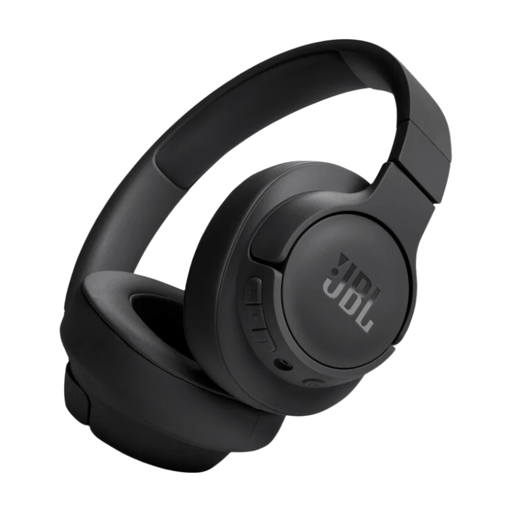
JBL Tune 720BT Wireless Over-Ear Headphones, Black
For listening on both a personal device and a seatback screen, check that the cable supplied with this wireless model fits the screen’s audio outlet. Direct Bluetooth pairing with the screen depends on the operating aircraft.
View on Joybuy
 No image available
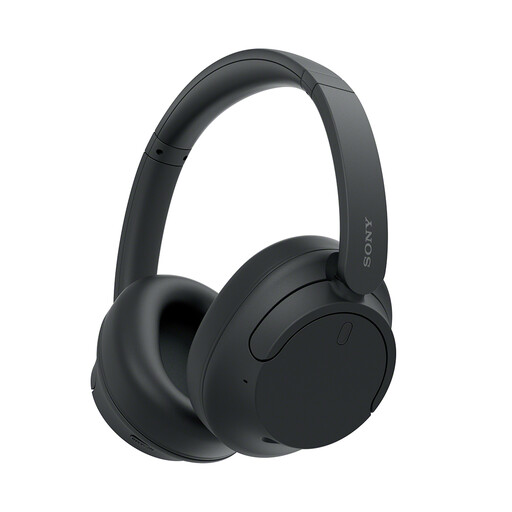
Sony WH-CH720N Noise-Cancelling Over-Ear Headphones, Black
If you plan to use these wireless headphones with seatback entertainment, confirm the supplied cable’s connectors and whether your aircraft needs an airline adapter. Noise cancelling does not establish how the headphones connect to the screen.
View on Joybuy
 No image available
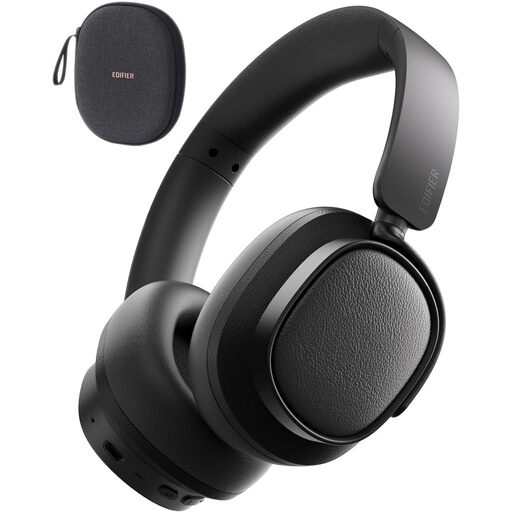
EDIFIER ES850NB Noise-Cancelling Over-Ear Headphones
The ES850NB title identifies wired and wireless listening. Before depending on its wired mode at a seatback screen, confirm the connector type and whether the required audio cable comes with this exact package.
View on Joybuy
Questions about in-flight audio
Will Bluetooth headphones pair directly with every seatback screen?
No. Emirates says pairing is available on its latest A380 aircraft on selected routes, depending on aircraft type, model and configuration. Check the operating flight rather than assuming that an entertainment screen supports Bluetooth audio.
Can I use Bluetooth headphones throughout the flight?
Follow your operating airline’s instructions and the cabin crew. British Airways says Bluetooth devices must be switched off for taxi, take-off and landing; Virgin Atlantic says Bluetooth headphones used with personal devices must be switched off for take-off and landing.
When do I need a two-prong airline adapter?
Consider one when your specific seat has a compatible multi-prong audio outlet and you want stereo sound through wired headphones or a transmitter. Twelve South says its AirFly may play in only one ear from a two-prong or three-prong outlet without the appropriate adapter; check the aircraft connection before buying.
Can a Bluetooth transmitter connect my headphones to airline entertainment?
It can be an option when the screen has a usable analogue headphone output and the airline permits Bluetooth-device use. Twelve South describes AirFly Pro 2 as connecting Bluetooth headphones to a headphone jack; a multi-prong outlet may also call for a compatible adapter.
What should I check in the headphone box?
Check the cable’s connectors, whether the cable is included and whether the exact package contains an airline adapter. Bose UK lists a 3.5 mm-to-2.5 mm cable with the cited QuietComfort Ultra Headphones, while Sennheiser UK lists both a cable and an airplane adapter for the cited MOMENTUM 4 Copper package.


