Relevant brand references
These examples illustrate different device approaches; a brand’s stated capabilities do not establish coverage at your locations.
Apple
Apple’s Wi-Fi + Cellular iPads are relevant when the tablet itself is the work device that needs mobile data.
- Apple says a compatible iPad can take a data plan directly on the device for access to work apps and files.
- Direct access still depends on a suitable plan and local coverage; it does not establish that an iPad suits multi-device sharing better than a hotspot.
TP-Link
The TP-Link M8550 illustrates a dedicated hotspot with shared Wi-Fi and a wired-connection option.
- TP-Link lists a Gigabit WAN/LAN port, a 4680 mAh battery and support for up to 32 concurrent devices for the M8550.
- Those are manufacturer specifications for the M8550, not a prediction of mobile performance at a particular UK location.
NETGEAR
The NETGEAR Nighthawk M6 (MR6150) is another dedicated hotspot reference for connecting multiple devices.
- NETGEAR lists Wi-Fi 6 and support for up to 32 concurrent devices for the MR6150.
- Its stated speed of up to 3.6 Gbps is a manufacturer figure, not an expected result on a particular network or commute.
Joybuy options for mobile work
These options cover dedicated hotspots, tablets with cellular connectivity and a data SIM for an existing compatible device. Choose the type of connection first, then check the exact device and plan against your network and usual locations.
 No image available
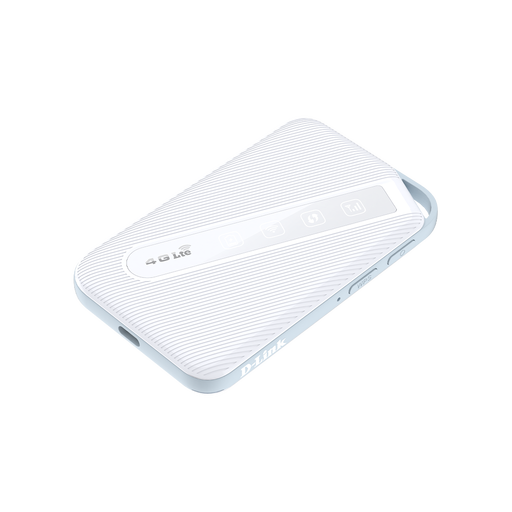
D-Link DWR-932W 4G LTE AX300 Wi-Fi 6 hotspot
A dedicated hotspot to consider when work devices need a shared connection separate from your phone.
The product name specifies 4G LTE and AX300 Wi-Fi 6. Before choosing a SIM, confirm supported network bands, network-unlock status and coverage where you work.
View on Joybuy
 No image available
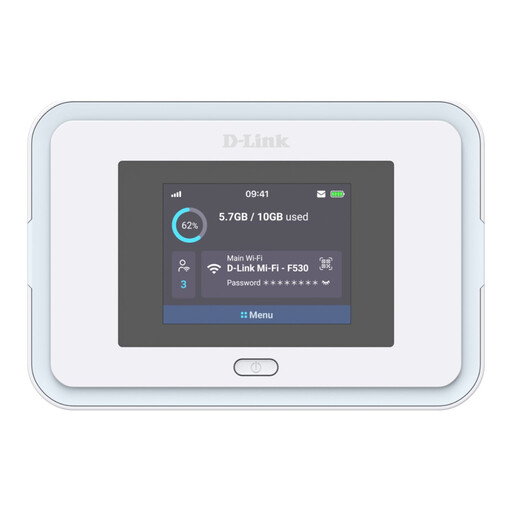
D-Link F530 5G NR AX3000 Wi-Fi 6 hotspot
This is another dedicated connection option when several work devices need shared mobile data.
The product name identifies 5G NR and AX3000 Wi-Fi 6; neither establishes the speed available on your route. Confirm the intended operator’s compatibility, local coverage and plan terms.
View on Joybuy
 No image available
TABWEE W90 11-inch dual-SIM 4G LTE tablet
Consider this route when you work directly on a tablet and want the tablet itself to use mobile data.
The product name lists an 11-inch display and dual-SIM 4G LTE. Check its compatibility with your intended UK operator; the supplied listing information says a SIM is not included and the charger is sold separately. Its battery-capacity figures conflict, so confirm that specification before choosing.
View on Joybuy
 No image available
TECLAST T70 14-inch dual-SIM 4G LTE tablet
This tablet suits consideration if a larger tablet is your main mobile work screen.
The product name lists a 14-inch, 1920×1200 display and dual-SIM 4G LTE. Check the LTE bands against your intended operator; the supplied descriptions conflict on operating-system and battery details, so confirm those specifications before choosing.
View on Joybuy
 No image available
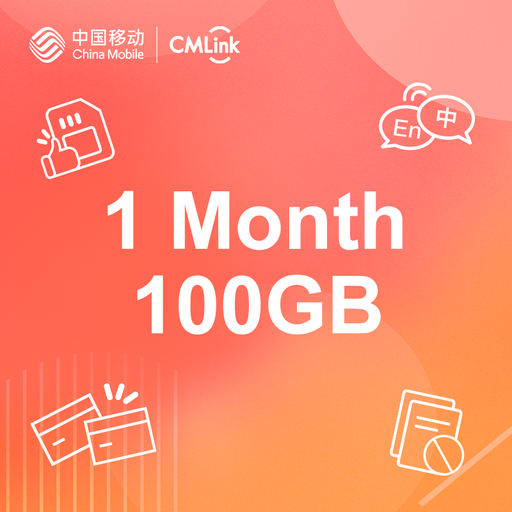
CMLink UK SIM, 100GB UK data, one-month preloaded plan
A data SIM is an option if you already have a compatible phone, tablet or hotspot and need to address the connection rather than replace the device.
The product name states 100GB of UK data and a preloaded one-month plan. Confirm the SIM format, device compatibility, tethering or hotspot permission, fair-use and speed terms, and what happens when the preloaded period ends.
View on Joybuy
Frequently asked questions
Should I use my phone or buy a separate hotspot?
Use phone tethering for occasional access from another device if your plan permits it and the phone’s battery suits your session. A separate hotspot is more relevant when several devices need to connect or your phone must remain available; neither option fixes weak coverage at the places you work.
How do I check a UK mobile network for my usual route?
Check regular work locations and relevant stops in Ofcom’s Map Your Mobile, using the host network for any provider you are considering. Ofcom distinguishes local coverage conditions but cautions that buildings, trees and wall thickness can make actual experience differ from its prediction.
Will a 5G hotspot solve a poor connection on the train?
Not where the network signal is inadequate. In Ofcom and Streetwave’s February–March 2026 study of 50 journeys on 24 rail lines, even the best-performing network met the study’s good-performance threshold less than half the time on the measured journeys. Check your route and keep essential documents available offline where needed.
What plan terms matter for tethering or a hotspot?
Check the domestic data allowance, permission to tether or use the SIM in a hotspot, fair-use conditions and any speed restrictions against your expected work. Google Android Help notes that carriers may limit tethering, while Ofcom advises checking fair-use and speed terms rather than relying on an unlimited-data label alone.
Does a power bank replace a better mobile connection?
No. It can help keep a phone or hotspot powered during a longer session, but it cannot improve network coverage. When a battery or electrical device reaches end of life, GOV.UK advises using a suitable collection or recycling point and taping lithium-battery terminals where practical to reduce fire risk.


