Bright-room strategy players
If you play near a window or under strong room lighting, small menu text and dark areas of a map need particular attention. Compare typical brightness and screen finish rather than relying on a peak HDR figure.


Start with how clearly you can see maps and menus in your room: check the exact monitor’s typical brightness and screen finish, and place it away from direct reflections. A 4K display around 32 inches is one route for detailed interfaces; choose between a flat gaming screen, a curved high-refresh model and a work-focused display according to the other games and devices you use. Peak HDR brightness alone cannot tell you how the screen will handle daylight.
If you play near a window or under strong room lighting, small menu text and dark areas of a map need particular attention. Compare typical brightness and screen finish rather than relying on a peak HDR figure.
You may want space for detailed management-game interfaces as well as a higher refresh rate for other games. Check the resolution and refresh-rate combination your gaming device can deliver.
When the same display serves a laptop, desktop and management games, screen finish, connections and desk fit can matter as much as gaming refresh rate. Check which devices need charging or a shared keyboard and mouse.
Consider it when: A flat 4K gaming screen with high refresh is important alongside detailed management-game interfaces.
Keep in mind: Even a stated peak HDR brightness does not establish how reflections will look at your desk.
Consider it when: You want 4K and very high refresh, and already find a pronounced curve comfortable for maps and lists.
Keep in mind: Samsung’s Odyssey Neo G8 has a 1000R curve, which is a separate fit decision from its 240Hz refresh rate.
Consider it when: Laptop docking and everyday work share priority with management games.
Keep in mind: Dell’s U3225QE runs at 120Hz; decide whether that suits the other games you play.
| Concern | What to check | Who this matters to |
|---|---|---|
| Daylight readability | Compare typical brightness and screen finish on the exact model; consider where windows and lamps reflect. | If strong room light makes dark maps or small menus difficult to inspect, I need a screen I can position and read comfortably. Around 33% of consumers put daylight readability first. |
| Map and interface detail | Check native resolution, screen size, desk fit and whether your games offer usable interface scaling. | I want room to inspect maps, lists and dashboards without losing track of their detail. For around 27% of consumers, interface space is the primary need. |
| Shared-device connections | Match the monitor’s ports to your devices; check required USB-C charging and switching functions. | When work and gaming share one screen, I need my laptop and gaming device to connect in a way that fits my routine. Roughly 20% of consumers prioritise shared-device convenience. |
| Refresh rate | Check the refresh rate at your intended resolution and whether your source device can output it. | I also play faster games, but do not want to choose on the largest refresh-rate number alone. Smoothness is the leading concern for around 20% of consumers. |
A peak HDR figure does not tell you the screen’s typical brightness, finish or response to a reflection from your window.
Compare typical brightness and coating where stated, then plan a desk position that keeps direct light out of the screen.
The Samsung Odyssey Neo G8’s 1000R curve changes how long lists, maps and dashboards sit in your field of view; its 240Hz specification does not settle whether you will like that shape.
Try a similarly curved screen if possible, or check the seller’s applicable return terms before committing.
Charging, USB hub functions and video-port versions differ between models, even when both displays have 4K panels.
List the devices and cables you will use, then confirm the exact monitor variant’s ports and any charging or switching function you need.
Replacing a large screen can leave you needing a practical way to hand over the old one. GOV.UK describes retailer take-back responsibilities for electrical equipment of the same type as a new purchase.
Ask the retailer how its take-back arrangement works for your purchase and whether you need to bring the old monitor to a collection point.
These model lines illustrate different choices for a bright-room desk; their specifications are not a substitute for checking reflections in your own room.
The EX321UX is a flat 4K Mini LED IPS gaming option with a matte screen.
The flat ROG Swift PG32UQXR combines 4K Fast IPS with Mini LED backlighting.
The Odyssey Neo G8 offers a curved 4K Mini LED VA route.
The 32GQ950-B is a flat 4K Nano IPS gaming display.
The U3225QE takes a work-and-play approach with a 4K IPS Black panel and hub connectivity.
These 4K displays offer different starting points for a management-game desk: a 27-inch gaming model, a 32-inch creative-work display and a larger general-use monitor. Check bright-room fit and gaming connections on the exact product you choose.
 No image available
Consider this 27-inch option if you want a 4K management-game display that can also serve other games. Its name specifies an IPS panel and dual-mode operation with a maximum 360Hz refresh rate; check which mode delivers the resolution and refresh rate you intend to use. For a bright room, confirm typical brightness and screen finish.
 No image available
Consider this work-focused display if 4K interface detail shares priority with creative tasks. Its name specifies an IPS Mini LED panel, 120Hz, Thunderbolt 3 and HDMI 2.1. Confirm typical brightness and the gaming features required by your device before choosing it for a bright-room gaming setup.
 No image available
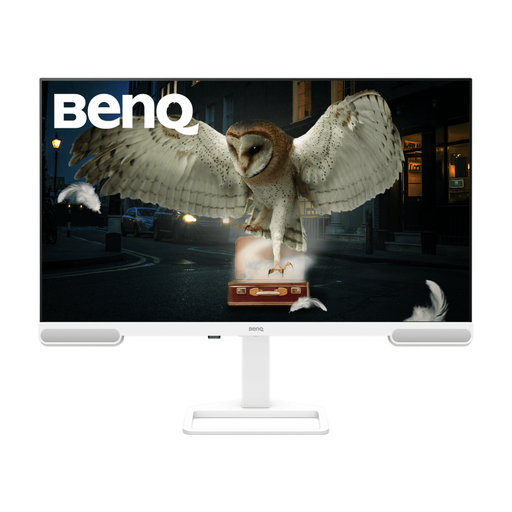
Consider this larger 4K display if map and menu space matters more to you than choosing a monitor specifically marketed for gaming. Check its screen finish, typical brightness and refresh rate against your room and the other games you play.
Check typical brightness, screen finish and where reflections will fall at your desk. BenQ UK, for example, specifies 700 nits typical brightness and a matte coating for the EX321UX; a peak HDR figure describes something different and cannot settle how your room will look on screen.
Not solely because they are management games. Samsung UK specifies 240Hz for the Odyssey Neo G8, but that capability is more relevant if you also play faster games and your device can deliver the refresh rate you intend to use. Weigh its curve and bright-room fit separately.
Yes, if its inputs and any charging or switching functions match those devices. Check each device’s video output, the monitor’s port versions and the cables you will use; if the laptop needs power from the monitor, confirm the required USB-C power delivery on the exact model.
Ask the retailer about its electrical-equipment take-back arrangement before ordering. GOV.UK describes take-back responsibilities for old equipment of the same type as the item purchased; confirm how your retailer accepts the monitor and whether collection is available if you cannot bring it in.