Choose a phone-mounted controller if you want a single handheld arrangement and the exact model fits your phone, connector and operating system. If you already own a compatible console controller, using it with a separate phone stand may avoid another controller purchase; either way, check your games, streaming service and usual network before choosing.
Who is this for?
Phone-first cloud gamers
If you mainly play streamed games on your phone, check whether your chosen games accept a controller and whether your usual connection meets the service’s guidance. Xbox Support recommends at least 7 Mbps on a 5 GHz Wi-Fi network for Android cloud gaming.
Console remote-play owners
If you stream games from a PS5 or PS4, a controller you already own may be a starting point. PlayStation supports DualSense, DualSense Edge and DUALSHOCK 4 controllers with PS Remote Play on supported mobile devices; a phone-mounted alternative must match your handset’s connector.
Long-session mobile players
If grip shape, extra buttons or charging while playing matter to you, compare those features on the exact model. Check phone length and case clearance too: a comfortable-looking telescopic controller is only useful if it fits your handset.
What matters when choosing?
Start with the games and connection you intend to use, then choose a controller arrangement that matches your phone and how you prefer to hold it.
Direct-connect phone-mounted controller
Choose it when: You want the phone and controls in one handheld unit and can match the model to your handset.
Trade-off: Connector, software, dimensions and case clearance can restrict compatibility; do not assume USB-C and Lightning variants are interchangeable.
Bluetooth phone-mounted controller
Choose it when: You want a handheld layout without connecting the controller to your phone’s port.
Trade-off: You must still check handset fit and software requirements, pair the controller and charge its battery.
Console controller with separate phone support
Choose it when: You already have a compatible controller and prefer its familiar, full-size layout.
Trade-off: The controller will not hold your phone, so you need a stable viewing position or a suitable clip.
| Concern |
What to check |
Who this matters to |
| Phone compatibility and fit |
Match the exact controller to your phone’s port, operating system, length and case clearance. |
If my phone cannot connect or fit securely, the controller will not serve its purpose; around 33% of consumers put that compatibility match first. |
| Streaming setup |
Check controller support for your games, any required subscription and your usual network. |
I need my chosen game and streaming service to work where I normally play before the controller’s layout matters; roughly 25% of consumers prioritise that setup. |
| Controls and grip |
Compare grip shape, stick and trigger layout, button placement and weight. |
For longer sessions, I would rather choose controls I can hold and reach comfortably than select by connector alone; around 25% of consumers make controls and grip their primary concern. |
| Reuse and portability |
Consider a controller you own, the need for a stand or clip, and whether a mounted model needs charging. |
I want to avoid carrying or buying another controller if my existing one suits phone play; roughly 17% of consumers put reuse and portability first. |
Mistakes to avoid
-
Assuming every phone-mounted controller fits every phone
USB-C, Lightning and Bluetooth models have different requirements, and a phone case can affect the fit of a clamping controller.
Compare your exact phone model, port, software version and dimensions with the controller generation and its case guidance.
-
Expecting a controller to fix a poor stream
A controller changes how you provide input; it does not remove a streaming service’s network requirements. Xbox Support recommends at least 7 Mbps on 5 GHz Wi-Fi for Android cloud gaming, while PlayStation recommends at least 5 Mbps upload and download for PS Remote Play.
Try your service on the connection you normally use before choosing hardware primarily for streaming.
Playing away from Wi-Fi can use substantial mobile data, so check your allowance if travel is part of your plan.
-
Assuming a controller works with every game
Controller recognition depends on the game and service. Xbox Support says some cloud games require a controller, while 8BitDo says its Ultimate Mobile Gaming Controller cannot map controller inputs onto games that only accept touch input.
Check control options for the specific games you intend to stream.
-
Overlooking returns when checking compatibility
A change-of-mind cancellation is different from a remedy for faulty or misdescribed goods. GOV.UK says online customers who notify a seller within 14 days of receiving an item that they wish to cancel must be offered a refund; applicable exceptions and return procedures still matter.
Check the seller’s current instructions and keep the listing and compatibility details with your order records.
Brands to consider for these controller formats
8BitDo
A Bluetooth phone-mounted option; 8BitDo identifies its Ultimate Mobile Gaming Controller Xbox Edition as supporting Xbox Cloud Gaming.
- 8BitDo lists a 100–170 mm phone fit, Hall Effect controls and two back paddles for the Ultimate Mobile Gaming Controller.
- Check the stated iOS 18.5+ or Android 13.0+ requirement for your phone, and plan to charge the controller separately.
Razer
The direct-connect Kishi V3 is presented by Razer as a full-sized phone-controller option for iPhone and Android.
- Razer lists full-sized TMR thumbsticks and two back buttons on the Kishi V3.
- Confirm the exact Kishi variant against your phone’s connector, dimensions and case.
GameSir
The G8 Galileo is an Android-focused, wired USB-C phone-mounted controller.
- GameSir lists a 110–185 mm phone length range, Hall Effect sticks and triggers, charging pass-through and a 3.5 mm jack for the G8 Galileo.
- GameSir lists Android as the compatible platform for this model; do not treat it as a general iPhone option.
Backbone
Backbone One PlayStation Edition variants provide a phone-mounted route for supported PS Remote Play setups.
- PlayStation documents an Android USB-C edition and a separate Lightning iPhone edition.
- The Android edition requires Android 10.0+ and USB-C; check the connector and requirements of the particular iPhone edition separately.
PlayStation
A route for PS Remote Play users who would rather use a compatible console controller than a phone-mounted model.
- PlayStation supports DualSense, DualSense Edge and DUALSHOCK 4 on supported mobile devices for PS Remote Play.
- A separate phone stand or clip may be needed. DualSense haptics and adaptive triggers depend on the connection and game.
Joybuy product choices
These choices include phone-mounted Type-C controllers and a separate DualSense controller for a supported remote-play setup. Match each option to your handset and games rather than treating the formats as interchangeable.
 No image available
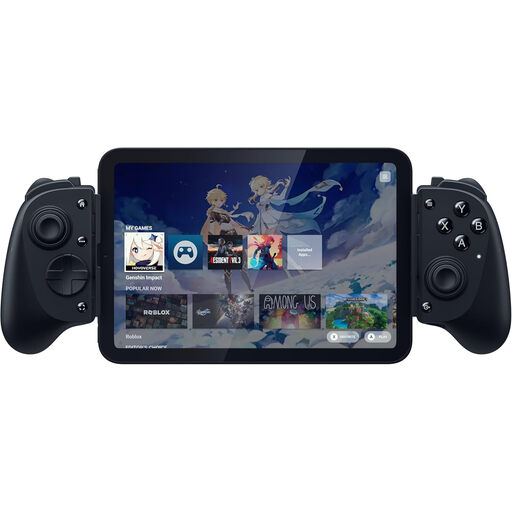
Razer Kishi V3 Pro Full-Size Mobile Controller (8'')
Consider this phone-mounted option if you want a handheld arrangement for streamed games. Check your exact phone’s connector, fit and case clearance before choosing this variant.
View on Joybuy
 No image available
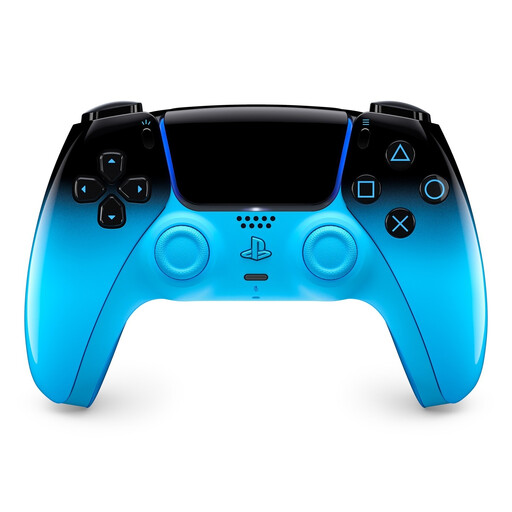
Sony DualSense Wireless Controller – HYPERPOP Rhythm Blue
For PS Remote Play, PlayStation supports DualSense on supported mobile devices. Check your phone and games, and arrange a stand or clip if you want the screen positioned beside the controller.
View on Joybuy
 No image available
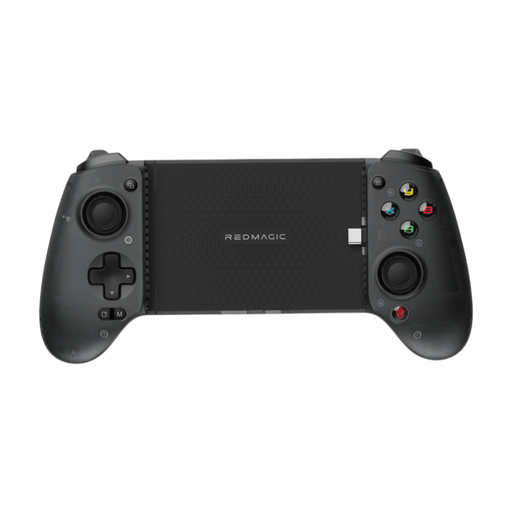
REDMAGIC Shadow Blade Gamepad 2.0, Type-C
This phone-mounted Type-C option is worth considering if you want physical controls around your handset. Confirm your phone’s fit and operating system, then check controller support in your streaming app and games.
View on Joybuy
 No image available
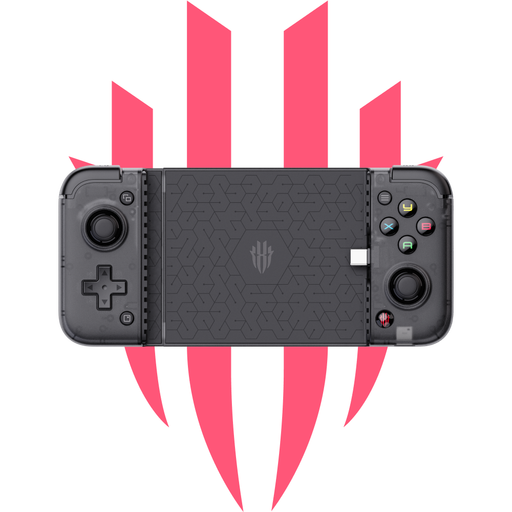
REDMAGIC Shadow Blade Gamepad, Type-C
Consider this Type-C phone controller if a handheld arrangement appeals to you. Check handset dimensions and software requirements, and confirm that your intended streamed games recognise controller input.
View on Joybuy
Frequently asked questions
Do all streamed games on a phone need a controller?
No. Xbox Support says touch controls are available for select games, while some games require a controller. Check the controls offered for the particular title and service you plan to use.
Will a different controller fix cloud-gaming lag?
A controller cannot resolve a weak streaming connection. Xbox Support recommends at least 7 Mbps on 5 GHz Wi-Fi for Android cloud gaming; PlayStation recommends at least 5 Mbps upload and download for PS Remote Play. Test the service on your usual connection before changing controllers.
Can I use a controller I own for PS Remote Play?
Yes, if it is a supported controller and works with your mobile device. PlayStation lists DualSense, DualSense Edge and DUALSHOCK 4 for PS Remote Play on supported phones; check your handset’s requirements and provide separate support for the screen if needed.
What if a phone controller I buy online does not fit?
Check whether a change-of-mind cancellation applies and follow the seller’s return instructions; a faulty or misdescribed item is a separate matter. GOV.UK says online customers who notify a seller within 14 days of receiving an item that they wish to cancel must be offered a refund, subject to the applicable rules and exceptions.
How should I dispose of an old controller?
Use an appropriate electrical-equipment reuse or recycling route rather than putting it in ordinary household waste. GOV.UK identifies the UK Waste Electrical and Electronic Equipment Regulations as the framework for covered electrical equipment.


