PS5 players who want repeated actions closer
If a game’s usual button layout makes a frequently used action awkward to reach, configurable back buttons and switchable profiles offer another way to arrange those inputs on DualSense Edge.


For PS5, DualSense Edge offers configurable back buttons and saved profiles; for Xbox and Windows, Xbox Elite Wireless Controller Series 2 offers paddle mapping and controller-stored profiles. Whichever controller you consider, check that its platform, connection and configuration options let you move the actions you actually use in your games.
If a game’s usual button layout makes a frequently used action awkward to reach, configurable back buttons and switchable profiles offer another way to arrange those inputs on DualSense Edge.
Xbox Elite Wireless Controller Series 2 suits players who want to assign recurring actions to rear paddles and retain different controller-stored layouts for their games.
Players using Windows or SteamOS may want extra controls or remapping, but need to match the controller’s mode, configuration method and connection to the games they play.
Start with the actions you want to move, then check platform and game support before comparing profiles or connection methods. Back buttons assign accessible positions to supported inputs; they do not necessarily add new actions to a game.
| Concern | What to check | Who this matters to |
|---|---|---|
| Reach and remapping | Identify the actions you repeat most, then check which existing inputs can be assigned to rear buttons or paddles and whether layouts can be saved. | When I repeatedly move away from a thumbstick for the same action, I want that input within easier reach. Around 40% of consumers put reach and remapping first. |
| Platform and game fit | Confirm the exact console or PC operating system, the game’s controller support and any mode needed for the intended features. | If I play across different systems, I need the controller’s important controls to work in the games I use. Around 30% of consumers prioritise platform and game fit. |
| PC configuration | Check the configuration app and whether setup needs USB or a compatible wireless adapter rather than Bluetooth. | I want to change mappings on my PC without discovering that my usual connection cannot open the settings. Roughly 20% of consumers make PC configuration their primary concern. |
| Setup and support | Check supplied accessories and the seller’s return process; test pairing, required controls and profile saving promptly. | I need enough time to set up the controller in my actual games and raise a problem with the seller if it does not work as described. About 10% of consumers put setup and after-sales certainty first. |
Microsoft says the Xbox Accessories app will not detect Elite Wireless Controller Series 2 over Bluetooth when configuring it on a Windows PC.
Check the setup connection separately from the gameplay connection: this configuration requires USB or a compatible Xbox Wireless Adapter.
Manufacturer platform lists differ by model. Nacon lists PS5, PS4 and PC for Revolution 5 Pro, while 8BitDo lists Windows and SteamOS among the platforms for Ultimate 2 Wireless.
Match the exact model to your main console or computer before comparing its extra controls.
PlayStation says some controller features depend on the device and game. Nacon says Revolution 5 Pro vibration works in PC and PS4 games but not PS5 games.
Check each feature you care about against your games, platform and intended connection, rather than relying on the controller’s general compatibility label.
A controller can connect yet still need a different setup method or fail to provide the layout you intended for a particular game.
Test pairing, rear controls and saved layouts promptly in the games you play. Keep proof of purchase and contact the seller if the controller is faulty or misdescribed.
DualSense Edge is a PS5-focused choice for changing button assignments and switching between custom profiles.
Elite Wireless Controller Series 2 serves Xbox-console and Windows players who want paddle mapping and controller-stored profiles.
Revolution 5 Pro is a route for players who use PS5, PS4 and PC and can check the required platform mode.
Ultimate 2 Wireless is a PC-oriented option for players considering supplementary remappable controls.
These controllers offer starting points for players considering different console layouts. Match each model to your platform and confirm the particular assignments and game features you need.
 Image unavailable
For PS5 players who want repeated actions on back buttons, PlayStation documents configurable back-button inputs and custom profiles for DualSense Edge.
If you also play on PC, check feature support in your games and intended connection.
 Image unavailable
For players comparing PlayStation control layouts, check which button assignments this variant permits in the games you play.
Confirm that its available connection mode suits the console or PC setup you intend to use.
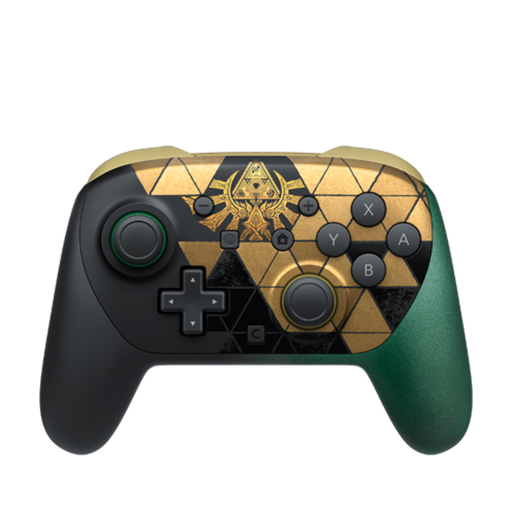 Image unavailable
For Switch 2 players considering an alternative layout, check whether the controls can be assigned to the actions you repeat in your games.
If you use different layouts, confirm whether the assignments can be saved and switched.
Compatibility depends on both the exact controller and the game. Check the manufacturer’s platform list and the game’s controller support; PlayStation notes that some features vary by device and game, while Nacon instructs Revolution 5 Pro users to select PC mode for Steam.
No: Microsoft says the Xbox Accessories app will not detect Elite Wireless Controller Series 2 over Bluetooth for Windows configuration. Use USB or a compatible Xbox Wireless Adapter for that task.
Yes. PlayStation documents custom profiles and shortcuts using the Fn button with an assigned action button. Save your preferred layouts first, then check the shortcut in the games where you intend to use them.
Test its connection to your intended platform, the controls you plan to remap, profile saving and the games you actually play. Keep proof of purchase and check the seller’s return process; if the item is faulty or misdescribed, raise that separately with the seller.
No. A manufacturer warranty is separate from statutory remedies for faulty or misdescribed goods. GOV.UK advises that sellers must provide a remedy when goods are faulty or not as described; the applicable remedy depends on the circumstances, so contact the seller and check any voluntary warranty terms separately.