
24/7 Customer Support

Free returns

Same-day & Next-day Delivery

Quality Guaranteed

Unlock Your Welcome Offers: FREE Delivery | Up to 80% OFF | Free 30-day JoyPlus trial
Download the APP
Driving an older car, lorry or motorhome in the UK has its charms, but being stuck without modern navigation and hands-free features is not one of them. A portable carplay screen with dash cam offers a brilliant solution—a simple car screen upgrade for older cars without the cost and hassle of a permanent installation.
However, the market is flooded with options, and it is easy to make a costly mistake. Before you buy, it is crucial to understand the common pitfalls that many drivers encounter.
plug and play carplay experience often falls short. Many devices suffer from laggy performance, frequent disconnections or a complicated pairing process that requires you to fiddle with settings every time you start the engine.As a Joybuy Product Recommendation Officer, my role is to help you see past the marketing jargon. This guide breaks down the essential features to look for, ensuring you choose a device that is both a pleasure to use and a reliable safety tool for your journeys.
To avoid disappointment, focus on these three non-negotiable areas. They are the true indicators of a quality aftermarket car infotainment screen.
The "dash cam" part of the device is critical for your safety and security. Do not settle for ambiguous specifications.
car screen with front and rear camera setup provides complete coverage, and the rear unit should be at least 1080p and IP67 waterproof to handle British weather.The main appeal of a wireless android auto screen is convenience. This hinges entirely on the quality of its wireless hardware.
A car is a demanding environment. The device must be robust enough to handle it.
Based on these practical criteria, here are a few options tailored to different types of UK drivers.
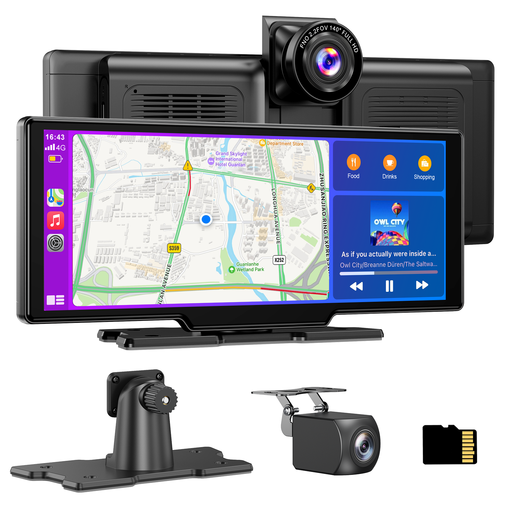
Why This Fits Their Persona: This user wants a complete, no-compromise solution. They value both high-end infotainment and top-tier safety features in one tidy package, perfect for their daily commute or long-distance trips in their motorhome.
It directly counters the "HD Camera Illusion" with a genuine 4K front camera and a 1080p rear camera. Its dual-band Wi-Fi and wide operating temperature range address the connectivity and overheating pitfalls.
A true 2-in-1 system that combines a large 10.26-inch screen with a full front and rear camera setup. It also includes a 64GB TF card, so it is ready to use straight out of the box.
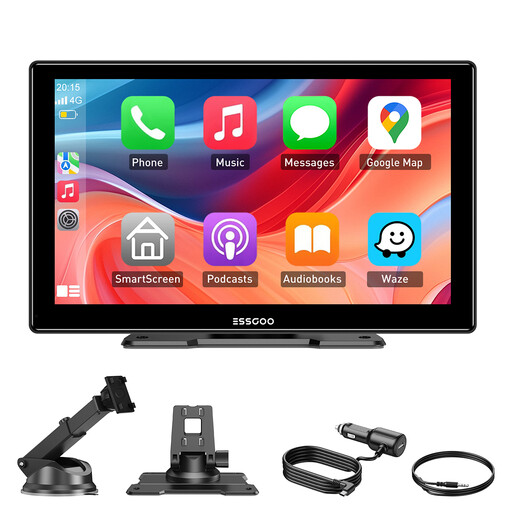
Why This Fits Their Persona: This driver's main priority is getting a large, responsive screen for navigation and media. They want a value for money upgrade for their older vehicle and may not need an integrated dash cam immediately.
It avoids the connectivity trap with reliable dual-band Wi-Fi and multiple audio outputs (FM, AUX, Bluetooth). By focusing on the screen experience, it delivers on the core promise of a modern infotainment upgrade without compromising on performance.
Provides a large 9-inch HD touchscreen with wireless CarPlay and Android Auto at an accessible price point. It supports an aftermarket reversing camera, offering future upgradability.
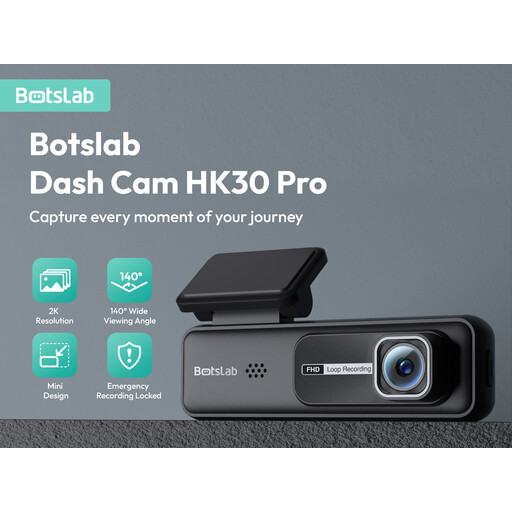
Why This Fits Their Persona: This driver is happy using their phone for navigation but wants a dedicated, high-quality camera for security. They prefer a discreet, "fit-and-forget" device that does one job exceptionally well without a large screen cluttering their view.
This device is the antidote to the "HD Camera Illusion." By focusing solely on video, it delivers superior 2K Quad HD resolution and enhanced night vision, ensuring footage is always clear and reliable.
Its compact, mini design is unobtrusive on the windscreen. It offers core safety features like a G-sensor for emergency recording and a 140° wide-angle lens for comprehensive coverage.
We have compiled a complete, real-time list of products that fully satisfy these strict selection criteria and UK safety regulations.
1. How difficult is it to install a portable CarPlay screen? True plug and play carplay systems are designed for easy installation. Typically, you just attach the mount to your dashboard or windscreen, plug the power cable into your car's 12V socket and pair your phone via Bluetooth and Wi-Fi. The entire process should take only a few minutes with no tools or technical knowledge required.
2. Will these screens drain my car battery? These devices are designed to draw power only when the ignition is on. They are powered by the cigarette lighter socket, which in most vehicles is not active when the car is turned off. Therefore, there is a very low risk of the screen draining your battery when the vehicle is parked.
3. Can I use the dash cam and CarPlay navigation at the same time? Yes. On integrated units like the ESSGOO 10.26" model, the system is designed to run both functions simultaneously. The dash cam will record in the background while you use Apple Maps, Google Maps or Waze for navigation on the main screen. Some models even offer a split-screen view to display both the map and the camera feed at once.