What matters when choosing?
Start with where calls will happen and who will set up the device, then check its calling position, controls and charging routine.
| Priority |
What to check |
Your needs |
| Setup and contacts |
Confirm the chosen calling app, Wi-Fi connection, contact list and account-recovery method. Decide who will help if a password or setting needs attention later; AbilityNet identifies video calling, apps and Wi-Fi as common areas for digital-skills support. |
I want my relative to reach familiar contacts without having to work through setup alone. |
| Accessible controls |
Try the exact tablet with the intended calling app. Apple documents VoiceOver and Assistive Access; Samsung documents TalkBack and display enlargement and contrast settings. Availability can vary by model, software, app and region. |
Larger text, spoken feedback or simpler navigation may make repeated calls easier for the person using the tablet. |
| Screen, camera and sound |
Check the front camera’s position when the tablet is propped up, plus the microphone and speaker arrangement. Apple specifies a landscape 12MP Centre Stage front camera on the iPad (A16); Samsung specifies a 5MP front camera and quad speakers on the Galaxy Tab A11+ 5G. These specifications are not a like-for-like call-quality test. |
I would rather leave a larger screen on a table than hold a phone for the whole conversation. |
| Connection |
Check Wi-Fi where calls will take place. If that is unreliable, confirm the exact cellular variant, suitable SIM or eSIM service, network coverage and who will manage the data plan. Apple documents 5G and eSIM for the cellular iPad (A16). |
Calls need to work where my family member actually uses the tablet, whether that is at home or away from Wi-Fi. |
| Charging and placement |
Plan an accessible charging spot and check that a stand or case fits the exact tablet without blocking its camera, controls or charging port. Battery capacity alone does not tell you how long a video call will last. |
A stable place to set the tablet down and a manageable charging routine matter more to me than a capacity figure on its own. |
Relevant brand references
These model and feature references can help frame the choice; they do not establish which tablet will be easiest for a particular household.
Apple
The iPad (A16) is a reference point for households considering an 11-inch iPad for calls on Wi-Fi or, with the appropriate version and service, a mobile network.
- Apple UK specifies a landscape 12MP Centre Stage front camera and lists VoiceOver and Assistive Access among its accessibility features.
- Feature availability can vary by app, service, region and language; the family still needs to arrange the calling app, contacts and account access.
Samsung
The Galaxy Tab A11+ 5G is a reference for an 11-inch Android calling tablet; check the full model identifier when comparing configurations.
- Samsung UK specifies a 5MP front camera, quad speakers and a 7,040mAh battery for its listed Galaxy Tab A11+ 5G configuration. Samsung also documents TalkBack and display enlargement and contrast settings.
- Those specifications do not establish video-call runtime or how well the controls will work for a particular person and app.
Lenovo
The Tab M10 5G illustrates an Android tablet route for calls that need mobile connectivity.
- Lenovo UK identifies a 10.61-inch Wi-Fi + 5G Tab M10 5G configuration.
- Mobile capability does not establish coverage or call quality at the intended address; confirm the exact configuration and service before relying on it.
Joybuy tablet options
These tablets offer different screen sizes and stated connectivity for family calling. Compare each exact listing with the recipient’s setup, placement and connection needs rather than assuming that similarly named variants have the same features.
 No image available
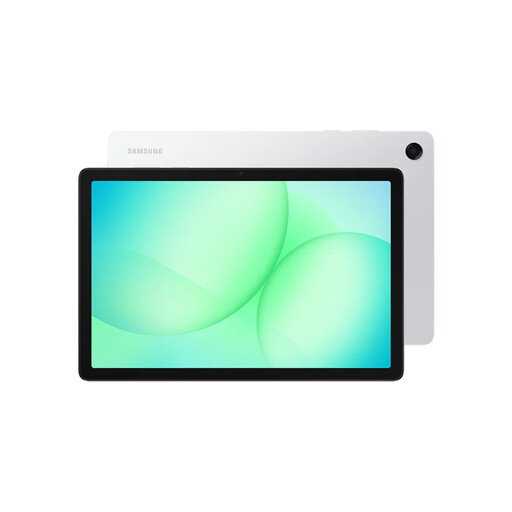
Samsung Galaxy Tab A11+ 5G X236, 6GB RAM, 128GB, Silver
Consider this Galaxy Tab A11+ variant if the household wants a dedicated Android tablet for calls. Its title identifies 6GB RAM and 128GB storage; confirm the exact model’s mobile-data capability, front-camera position and calling-app setup before relying on it away from Wi-Fi.
View on Joybuy
 No image available
Samsung Galaxy Tab A11+, 11-inch, 128GB Wi-Fi, Grey
This 11-inch Wi-Fi variant is worth considering for calls where the household has dependable Wi-Fi. Its title states 128GB storage; check the front-camera position, a suitable stand and the intended user’s calling-app and accessibility settings.
View on Joybuy
 No image available
Xiaomi Pad 8, 8GB RAM, 128GB Wi-Fi, Grey
This Wi-Fi tablet is another option for a dedicated device used where the connection is dependable. The title states 8GB RAM and 128GB storage; check its camera position, calling-app compatibility and a stable hands-free arrangement for the recipient.
View on Joybuy
 No image available
TABWEE T20, 10.1-inch, 256GB, keyboard, mouse and stylus
Consider the 10.1-inch TABWEE T20 if the listed keyboard, mouse and stylus would serve another everyday task alongside calls. Confirm whether a stand is included, how the front camera faces the caller and which connection the exact tablet uses; Wi-Fi described as 5G is not itself cellular 5G.
View on Joybuy
 No image available
TECLAST T70 2025 Edition, 14-inch, dual-SIM 4G LTE
The T70 is an option to examine when calls need a larger, stationary screen or a connection away from Wi-Fi. Its title specifies a 1920 × 1200 display, 256GB storage and dual-SIM 4G LTE; confirm UK network compatibility, local coverage, a suitable data plan and a stable place to position the tablet.
View on Joybuy
Questions about family video calls
When might a tablet suit family calls better than a phone?
Consider a tablet when the recipient wants a larger screen that can stay propped up rather than a phone they must hold. Apple documents an 11-inch iPad (A16) with a landscape front camera, and Samsung documents an 11-inch Galaxy Tab A11+ with a front camera; those features do not mean every tablet will outperform every phone or laptop on a call.
Should I choose Wi-Fi or cellular connectivity?
Choose Wi-Fi for calls that normally take place on a dependable home connection. Consider cellular when the tablet must work without dependable Wi-Fi or a hotspot, and check the exact model, local coverage and compatible data service; Apple documents 5G and eSIM on the cellular iPad (A16), while Lenovo lists a Wi-Fi + 5G Tab M10 5G.
What should I set up before giving the tablet to a relative?
Arrange Wi-Fi, the preferred calling app, familiar contacts and account recovery, then practise a call together and agree on a charging place. AbilityNet identifies video calling, app downloads and Wi-Fi connection as areas where some people need help.
Which accessibility controls should we try?
Try controls that address the recipient’s specific difficulty in the chosen calling app: Apple documents VoiceOver and Assistive Access, while Samsung documents TalkBack and display enlargement and contrast settings. Check their availability and usability on the exact model and software version with the person who will make the calls.
Can an ordinary video-calling tablet replace an emergency-response device?
No such replacement is established here. A consumer tablet chosen for family calls should not be relied on as a verified substitute for medical monitoring, telecare or an emergency-response service.


