Households keeping a tablet for several years
If a shared tablet will be used for banking, online accounts, documents and everyday apps, compare its remaining security-support period with the years you expect to keep it.


Choose a tablet whose documented security-update period covers the years you plan to use it for accounts, payments, files and apps. Lenovo’s UK support matrix lists security maintenance ending 4 September 2033 for the Yoga Tab Plus Gen 2 TB522FU, while Samsung states seven years of security updates for the Galaxy Tab S11 Series from global launch—not from your purchase date. For a refurbished tablet, check its exact model or generation and how much support remains before buying.
If a shared tablet will be used for banking, online accounts, documents and everyday apps, compare its remaining security-support period with the years you expect to keep it.
An older unit may have less support remaining than its appearance suggests. Get the exact model identifier or generation so you can check the manufacturer’s schedule before using it for sensitive accounts.
A calendar end date and a promise measured from launch are different ways of stating support. Work out the time remaining for each specific model rather than comparing the headline terms alone.
Start with the exact model, establish when its security support ends, then check that the remaining period covers your planned use.
| Priority | What to check | Your needs |
|---|---|---|
| Remaining support | Find the manufacturer’s security-maintenance end date or support term for the exact model. If the term starts at global launch, compare its remaining length—not its full stated length—with your ownership plans. | I want updates to continue for as long as I expect to use this tablet for online accounts and apps. |
| Updates in use | Check that operating-system and app updates can be installed, and review update status during ownership. The National Cyber Security Centre explains that patches fix known flaws attackers can exploit. | For payments and personal files, I need to keep receiving and installing available patches, not just buy a model with a support promise. |
| Older or refurbished units | Obtain the model number or generation and match it to the relevant manufacturer support record. Check whether any seller-specific condition applies to the stated support period. | A refurbished tablet interests me, but I need enough documented support left for the years I plan to keep that particular unit. |
Lenovo’s published end date applies to the Yoga Tab Plus Gen 2 TB522FU, while Samsung’s seven-year statement applies to the Galaxy Tab S11 Series. Neither statement establishes the term for every tablet from that manufacturer.
Record the model identifier before checkout and match it to the manufacturer’s support information.
Samsung measures the Galaxy Tab S11 Series’ stated seven years from global launch. Buying later does not restart that term.
Check the policy’s starting point or calendar end date, then compare the remaining period with how long you intend to keep the tablet.
Cosmetic condition does not establish whether an older generation still receives security updates. Amazon, for example, lists Fire tablet support by generation.
Ask for the exact generation or model number and check its support schedule before relying on it for sensitive accounts.
Manufacturer support cannot patch a device if its available updates are left uninstalled. The National Cyber Security Centre says patches address known flaws that attackers can exploit.
Enable automatic operating-system and app updates where appropriate, and check periodically that updates are arriving.
These published commitments concern named models or series; check the identifier on the tablet you are considering.
Lenovo’s UK Android Upgrade Matrix gives a calendar date for the Yoga Tab Plus Gen 2 model TB522FU.
Samsung UK states a security-update term for the Galaxy Tab S11 Series rather than a purchase-date-based promise.
Amazon publishes minimum security-support dates by Fire tablet generation, which is useful when assessing an older unit.
These Galaxy Tab S11 Series listings are options if you prefer Samsung’s support term. For either tablet, compare the period remaining from global launch with the years you intend to keep it.
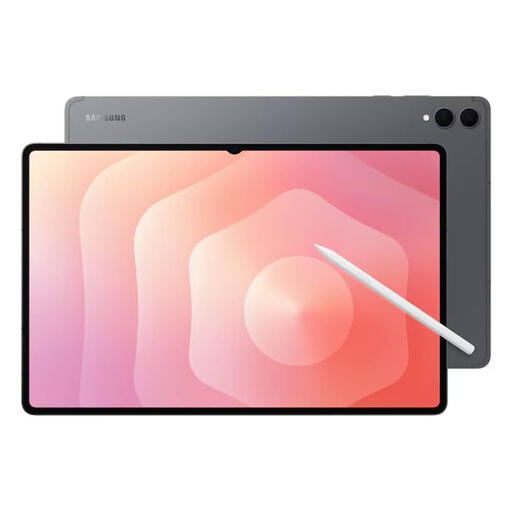 No image available
For longer-term use of accounts and files, compare your planned ownership period with Samsung UK’s stated seven years of security updates for the Galaxy Tab S11 Series, measured from global launch. This listing is the S11 Ultra with 12GB, 256GB and WiFi; confirm the remaining support period for this exact model before buying.
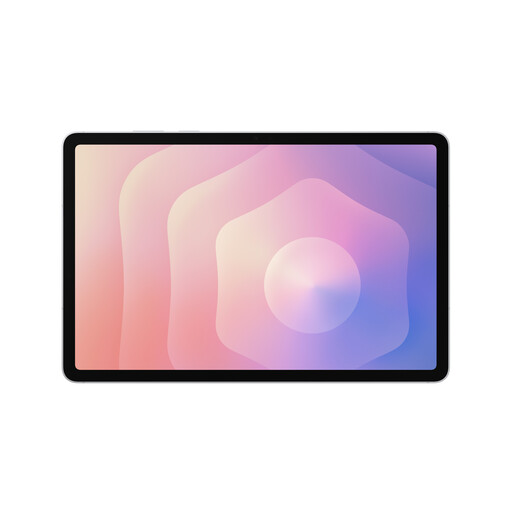 No image available
For a tablet you expect to keep while using online accounts and apps, check how much of Samsung UK’s stated seven-year Galaxy Tab S11 Series security-update term remains from global launch. This listing is the S11 with 12GB, 128GB and WiFi; confirm the remaining period for this exact model before buying.
No. Samsung UK states that security updates for the Galaxy Tab S11 Series run for seven years from global launch. Check the time remaining from that starting point against your planned ownership period.
Consider one only if its exact model or generation has enough documented security support remaining for your intended use. For a refurbished Fire tablet, check the applicable generation in Amazon’s support table rather than assuming a newer generation’s date applies.
Available updates need to be installed to receive their patches. The National Cyber Security Centre says patches fix known flaws attackers can exploit, so enable automatic updates where appropriate and check that operating-system and app updates continue to arrive.