What should you check before choosing?
Start with the security support remaining on the exact device, then check whether its software and form factor suit the tasks you need to do.
| Priority |
What to check |
Your needs |
| Security updates |
Find the manufacturer’s security-update end date or minimum period for the exact model and variant. Distinguish it from an operating-system upgrade commitment, and check when the period began. |
I use connected services and personal accounts, so I want to know how long this tablet will continue receiving security fixes. |
| Apps and operating system |
Check the exact model against the manufacturer’s current operating-system compatibility information. Confirm each essential app’s platform and version requirements with its developer; OS upgrades and security updates are separate. |
Coursework, messages or everyday apps need to work on the replacement, even if the device itself still receives updates. |
| Refurbished condition |
Confirm the model generation and its security-support end date, not just the refurbishment date. Review the condition report, included accessories and seller’s return terms. |
I would consider refurbished, provided its remaining support and physical condition suit the time I expect to use it. |
| Desktop tasks |
Check whether a required application needs desktop Windows rather than iPadOS, Android or Fire OS. If considering a 2-in-1, confirm the keyboard and trackpad arrangement and keep its operating system updated. |
Longer writing sessions or a particular desktop application may make a laptop-style device more useful to me than another tablet. |
Joybuy tablet options
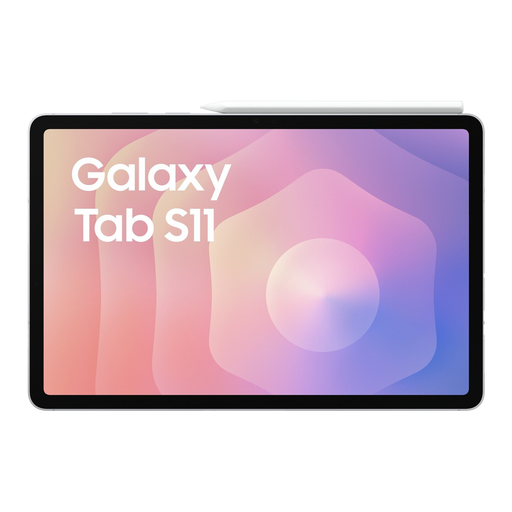
This Galaxy Tab S11 Wi-Fi configuration is an option for buyers considering a tablet with a published series-level security-update commitment. Confirm the commitment’s application to this exact device and check your required apps before buying.
 No image available
Galaxy Tab S11 12GB + 128GB Wi-Fi, Gray
For a connected tablet replacement, Samsung UK states that the Galaxy Tab S11 series is eligible for up to seven years of security updates from global launch. This listing identifies a 12GB + 128GB Wi-Fi configuration in Gray; confirm the applicable support end date for this exact device and compatibility with your essential apps.
View on Joybuy
Questions about replacing a tablet
How can I check a tablet’s security-support end date?
Look for an official manufacturer page that identifies the exact model or an explicitly applicable product family and states a security-update end date or minimum period. Check when that period starts, and do not substitute a warranty, app-update promise or operating-system upgrade count for security support.
Can I keep using an unsupported tablet if it still works?
Working apps do not remove the security risk of an obsolete connected tablet. The National Cyber Security Centre says stopping use is the only fully effective mitigation; avoid relying on the device for sensitive accounts, payments or personal files while arranging a replacement.
Does a current operating system guarantee future security patches?
No. Operating-system upgrades and security updates are different, and their availability depends on the model. Check both current OS eligibility and the manufacturer’s separate security-support terms.
What should I check on a refurbished tablet?
Verify the exact model generation and its remaining security-support period, then review its condition, included accessories and seller’s return terms. UK Office for Product Safety and Standards guidance notes that wear or modifications in used products can be less obvious.
When does a Windows 2-in-1 make more sense than another tablet?
Consider a Windows 2-in-1 when an essential application needs desktop Windows or your work depends on sustained keyboard and trackpad use. Confirm that the software and accessories you require will work with the chosen device, and continue installing supported Windows updates.


