Regular side-seat travel viewers
If you usually watch from an armchair or sofa well to one side, viewing angle matters when judging how landscapes and darker scenes look from your usual seat.


For regular viewing from a side seat, start with OLED TVs and check the exact model’s viewing-angle information: LG UK describes OLED’s self-emitting pixels as providing wide viewing angles and strong contrast. If daylight or lamps reflect on the screen, also compare models that explicitly combine a wide-viewing-angle feature with anti-reflection treatment, as Samsung UK describes for the QN90D. Neither technology name alone tells you how a different model will look in your room.
If you usually watch from an armchair or sofa well to one side, viewing angle matters when judging how landscapes and darker scenes look from your usual seat.
If windows or lamps reflect in the screen during daytime viewing, consider reflection control as well as the picture at an angle. Samsung UK lists both features for its QN90D.
When people sit in different places, balance side-seat viewing with the screen’s physical fit, connections, streaming services and energy information.
Start with your usual seat and the room’s reflections, then check picture features and practical fit on the exact TV model. If side viewing is only occasional, a standard LED/LCD TV may still suit a mostly centred seating arrangement; do not assume its angled picture matches another model’s.
Consider when: The side seat is your main viewing position and contrast in night scenes or darker interiors matters to you.
Keep in mind: LG UK describes wide viewing angles and independently controlled pixels for OLED, but reflection handling and other features still depend on the model.
Consider when: You watch from the side in a room where windows or lamps also reflect in the screen.
Keep in mind: Samsung UK lists Ultra Viewing Angle and an Anti-Reflection Screen for the QN90D; check both features on the size and model you intend to buy.
| Concern | What to check | Who this matters to |
|---|---|---|
| Picture from a side seat | Check the exact model’s panel type or stated wide-viewing-angle feature; assess it from your usual seating position where possible. | I regularly sit well off-centre and want landscapes and dark scenes to remain convincing without changing seats. Around 36% of consumers put side-seat picture consistency first. |
| Reflections | Identify where windows and lamps reflect, then check whether the selected model lists anti-reflection treatment. | Daytime reflections can get in the way of the scenery I want to watch, even if I can see the screen from the side. For about 29% of consumers, controlling reflections is the primary concern. |
| Scenic picture quality | Check the exact model’s stated contrast features and HDR formats, particularly if you watch compatible HDR programmes. | Night scenes, shadowed landscapes and changing colours matter more to me than the other buying factors. Roughly 21% of consumers prioritise this aspect of the picture. |
| Fit and everyday use | Confirm stand dimensions or mounting instructions and the connections and services you need; compare energy information for the chosen screen size. | My TV must fit its intended space and work with the services and equipment I use. Approximately 14% of consumers make those practical checks their main priority. |
LG UK describes wide viewing angles for OLED, while Samsung UK lists a specific wide-angle feature for the QN90D. Neither statement establishes identical results across every TV bearing a similar label.
Use the technology to narrow your choices, then check viewing-angle information for the exact model and size.
A picture viewed from the side can still be difficult to see when a window or lamp reflects in the screen. Samsung UK presents viewing-angle and anti-reflection features as separate attributes of the QN90D.
Note where reflections fall during your usual viewing time and check the selected TV’s reflection-control features.
Stand configuration, dimensions and mounting requirements are model-specific. Sony UK, for example, publishes stand dimensions and mounting documentation for the K-65XR8M2.
Measure the furniture or wall area and check the selected size’s stand and supported mounting instructions before ordering.
A different bracket or piece of furniture may be needed if your existing setup does not fit the chosen TV.
TV Licensing says the requirement depends on whether you watch live TV on a channel or streaming service, or use BBC iPlayer—not on whether the programme is about travel.
Check how your household plans to watch before using live services or BBC iPlayer.
LG’s OLED information is relevant if consistent viewing from a side seat and contrast are central to your choice.
Samsung’s QN90D is a model-specific reference for combining a stated wide-viewing-angle feature with anti-reflection treatment.
Sony offers model-specific specifications and installation documents that can help with a shared-room TV choice.
These TVs relate to the side-seat viewing decision: the selection centres on models associated with the OLED route and includes a Direct LED option. Compare the exact model’s viewing-angle and reflection information alongside its size and room fit; inclusion here is not a measurement of its side-seat picture.
 No image available
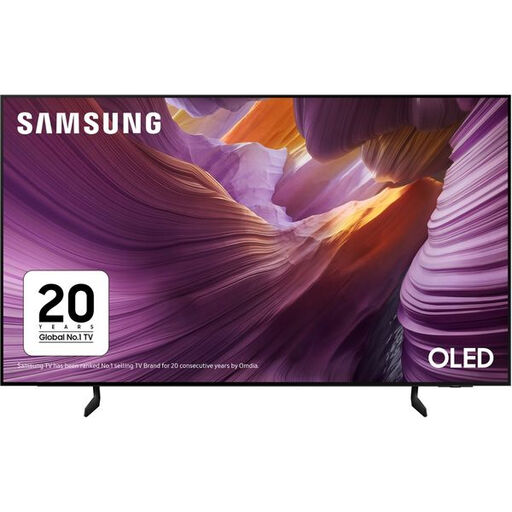
Consider this model if you are comparing large screens for a side-seat arrangement, but check its exact panel and reflection information before deciding.
The listed size is 83 inches, with 4K Ultra HD in the product name. Check stand dimensions and the available space before choosing this size.
 No image available
This 65-inch option may suit a different room layout from the larger S85F, provided its exact viewing-angle and reflection features meet your needs.
The product name states 4K Ultra HD. Confirm that the model code on the product you receive is QE65S85FAE before relying on model-specific specifications.
 No image available
The OLED panel makes this a model to consider when your usual seat is off-centre; check its picture and reflections from that position where possible.
The product name states 65 inches, 4K HDR, Google TV and Dolby Vision. Check the stand configuration and installation dimensions for the K65XR80BP.
 No image available
Consider this OLED model if a 48-inch screen better fits your intended viewing space; check how its picture looks from your side seat rather than relying on panel type alone.
The product name states 4K HDR, Google TV and Dolby Vision. Verify its stand arrangement and reflection handling for your room.
 No image available
If you are considering a Direct LED alternative, check this exact model’s stated viewing-angle feature and how reflections affect the screen from your seat.
The product name states 65 inches, 4K HDR and Google TV. Also check its placement dimensions before buying.
Compare OLED first if your main concern is picture consistency from an off-centre seat: LG UK describes its self-emitting pixels as providing wide viewing angles. If windows or lamps reflect in the screen, also consider a model that explicitly lists both wide-angle viewing and anti-reflection treatment; Samsung UK lists that combination for the QN90D. Check the exact size and model rather than assuming the features apply across a range.
Check the selected TV’s dimensions, stand positions, weight and supported mounting instructions against your furniture or wall space. Sony UK’s documentation for the K-65XR8M2 illustrates why these checks need to be model-specific; use the documents for the TV you actually choose.
The programme genre does not decide this. TV Licensing says you need to be covered by a TV Licence to watch live TV on any channel or streaming service, or to use BBC iPlayer, regardless of the device; check how your household intends to watch.
Compare the energy label and product information for the exact screen size you intend to buy. GOV.UK guidance says dealers must display applicable energy labels clearly and make the product fiche available to consumers.
Do not assume a particular app will remain available indefinitely. Check current service support and the software-update information for the exact model; if one service is essential, consider whether you could use a compatible external streaming device.