One-screen living-room players
You want to game from the sofa and use the same screen for television or streaming. Screen placement, sound, television access and the TV's supported console modes all matter.


Choose a TV if one screen needs to serve sofa-based console gaming and everyday television viewing. A monitor makes more sense for close-up desk play if its HDMI modes work with your console, but you must also plan how you will hear games and access the programmes you want. Neither type of screen guarantees a particular console refresh mode: check the exact console, game and display connection before buying.
You want to game from the sofa and use the same screen for television or streaming. Screen placement, sound, television access and the TV's supported console modes all matter.
You sit close to the display and would rather choose a monitor for your console's supported HDMI modes than buy a TV for its television features. You still need a workable audio connection.
You prefer a monitor for gaming but are willing to use another device or screen for programmes. That gives you a separate viewing route, with more connections and audio decisions to manage.
Decide how you want to watch television, then match the display's video modes to your named console and work out the sound connection. A monitor can be paired with a separate viewing source, so the choice is not limited to two self-contained screens.
| Concern | What to check | Who this matters to |
|---|---|---|
| One-screen television use | Check the TV's viewing features and, for Freeview live TV through its guide, the required aerial and compatible TV or recorder. Check gaming modes on the exact model too. | If I want to play from the sofa and watch programmes on the same screen, I need both uses to work without building a separate viewing setup. Around 42% of consumers put integrated viewing first. |
| Console video modes | Match the console and game to the display's supported resolution, refresh rate and VRR over the intended HDMI input; check the cable and any receiver or switch in between. | At a desk, I would rather confirm the mode my console can actually output than choose by a high refresh-rate label alone. Console-mode compatibility comes first for around 33% of consumers. |
| Audio and separate sources | Check speakers or audio outputs on the exact monitor, then identify any streaming or Freeview device and its available connection. | If I keep gaming on a monitor, I need a sound route and a separate way to reach the television content I watch. Around 25% of consumers prioritise that modular arrangement. |
A display's maximum advertised rate does not establish the resolution and refresh rate your console and game will use. Xbox Support specifies an Xbox Series X, an Ultra High Speed HDMI cable and an HDMI 2.1-capable TV for 4K gaming at 120Hz.
Check the named console's output options against the exact display input, cable and any equipment between them. PlayStation also provides a PS5 test for supported 1440p output modes.
Freeview says live television through its TV Guide needs an aerial connected to a Freeview TV or recorder. A monitor on its own does not provide that reception path.
Decide whether you need aerial-based live TV, streaming or a separate television, and check the source device and connections before choosing the monitor.
This route may involve an additional receiver or television and an aerial connection.
Speakers and audio connections vary by model: BenQ lists built-in speakers for the EX2710Q and eARC for the EX271U, not as features of every gaming monitor.
Check how the console and any viewing device will connect to your chosen headphones, speakers or soundbar.
A separate sound device and compatible cables may become part of the setup.
TV Licensing states that its requirement covers live TV and BBC iPlayer on any device, including a monitor.
Check the programmes and services you intend to watch rather than deciding by whether the display is sold as a TV.
BRAVIA is worth considering for a TV-led setup that combines television viewing with PlayStation use.
Samsung's gaming-TV range is relevant if you want a television that also has gaming-focused inputs and settings.
LG has both televisions and UltraGear monitors for shoppers still deciding between a room screen and a desk display.
MOBIUZ is relevant to a monitor-led setup where the sound connection deserves as much attention as the video input.
These choices include TVs for a shared gaming and viewing screen, followed by a monitor for desk-based play. If you want Freeview live TV, confirm the required reception path for the exact setup; for every display, check the modes supported by your console.
 Image unavailable
Consider this TV if you want a 55-inch screen for console play and smart-TV viewing in the same room.
The product name specifies VIDAA OS, a built-in subwoofer and 165Hz Game Mode Ultra; that named mode does not establish what your console will output. Check the exact HDMI mode and, if needed, the Freeview aerial connection.
 Image unavailable
This is a TV-led option if you want a 50-inch screen for gaming and Google TV viewing.
Its product name lists an ONKYO 2.1 audio system and a 144Hz native refresh rate. Confirm the refresh and VRR modes available through the input you will use with your console, as well as the Freeview connection if required.
 Image unavailable
Consider this shared screen if you want console gaming alongside Google TV viewing.
The product name specifies a 120Hz Game Accelerator at FHD, not 4K at 120Hz. Check its precise console input modes and the aerial connection if Freeview live TV matters to you.
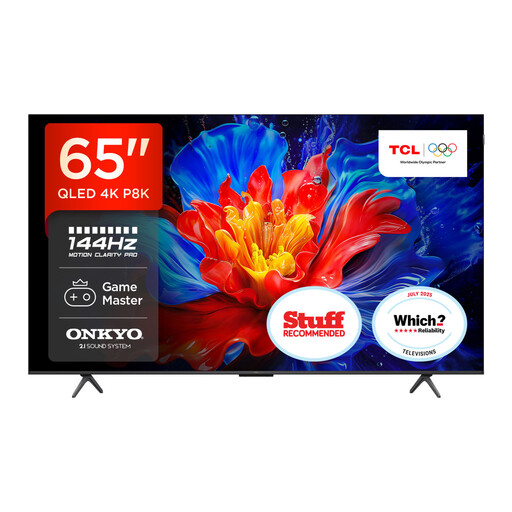 Image unavailable
This TV suits a setup where a 65-inch screen for gaming and television viewing fits the room.
The product name lists an ONKYO 2.1 sound system and 288Hz Game Accelerator. That accelerator name is not a console input specification: check the exact HDMI and refresh modes, and confirm the Freeview reception path if you need one.
 Image unavailable
Consider this monitor for close-up console play if you are arranging television viewing separately.
The product name specifies 3840 × 2160 resolution and a 165Hz refresh rate; confirm the resolution and refresh combination accepted from your console. Plan a compatible sound connection and, if wanted, a separate television or streaming source.
No: check the whole connection and the mode supported by the exact TV. Xbox Support specifies an Xbox Series X, an Ultra High Speed HDMI cable and an HDMI 2.1-capable TV for 4K gaming at 120Hz; the game and settings also matter to the mode you use.
For Freeview live TV through the TV Guide, you need an aerial connected to a Freeview TV or recorder, according to Freeview. If you use a monitor as the display, plan a compatible separate source and check your aerial access before buying.
Using a monitor does not remove the UK requirement: TV Licensing says a licence is needed to watch live TV on any device or use BBC iPlayer. Check the services and programmes you intend to watch rather than the name of the screen.
Some can, but check the exact model and how your console will connect. BenQ lists built-in speakers for its EX2710Q and eARC for its EX271U; neither feature should be assumed for monitors generally.