One-project file movers
If you mainly need to move a presentation between home and school, focus on a drive that connects to both computers and lets you access the file. Multi-terabyte capacity is less relevant unless you have other files to keep.


For copying ordinary presentation files between home and school, a compact portable SSD is a sensible choice if its connection and file format work with both computers. Consider a drive with documented physical protection if you carry it frequently, or a portable hard drive if the project drive will also hold a much larger archive. Check the school computer’s ports before choosing, and treat advertised transfer speeds as conditional on the connection.
If you mainly need to move a presentation between home and school, focus on a drive that connects to both computers and lets you access the file. Multi-terabyte capacity is less relevant unless you have other files to keep.
If the drive will regularly travel in a school bag, a compact SSD with documented protection may be worth considering. Check what the protection rating covers rather than relying on the word “portable”.
If your presentation includes substantial video or photos and the drive will hold files from other projects, check the total storage you need. A higher-capacity portable hard drive is another route to consider.
Start with access on the school computer, then decide whether frequent carrying or a wider file archive changes the type of drive you need.
| Concern | What to check | Who this matters to |
|---|---|---|
| Connection and file access | Check both computers’ USB ports, the supplied cable or adapter, and whether each computer accepts the drive’s file format. | I need to open my presentation on the school computer, not just save it at home. For around 40% of consumers, reliable access would be the primary concern. |
| Carrying and protection | Check the drive’s size and any stated dust, water or drop-test conditions; a rating does not cover every accident. | When my drive travels in a bag each day, I care about how it will be carried and what protection is documented. Roughly 30% of consumers would put that need first. |
| Capacity for other files | Add up the presentation, its media and the files you intend to keep for later projects before choosing a capacity. | If the same drive will hold video, photos and an ongoing archive, storage becomes more important than space for one presentation. It would be the main concern for around 30% of consumers. |
USB-C identifies a connector, not the full connection capability. A drive can copy files without reaching its stated maximum transfer speed.
Check the computer’s USB specification and the cable. Samsung says the T7 Shield’s stated maximum speeds require a USB 3.2 Gen 2 connection and UASP support.
Changing a drive’s format can affect whether another computer can use it. Reformatting also erases files already on the drive.
Check the school computer’s requirements first, and copy important files elsewhere before reformatting.
A larger archive drive makes sense when it will also store substantial media or files from future projects, not simply because the current file is a school project.
Check the size of the presentation and any embedded media, then include other files you genuinely plan to retain.
Samsung says the T7 Shield’s resistance claims come from controlled tests and that liquid, dust and drop damage are not covered under its warranty.
Protect the drive in transit and keep a second copy of the final presentation rather than relying on its rating alone.
The Crucial X9 portable SSD is a compact USB-C option for moving files between computers.
The Samsung T7 Shield line is relevant when a drive will be carried frequently and documented physical protection matters.
WD’s USB-C My Passport portable hard-drive range is a capacity-focused option for a project drive that will also serve as an archive.
These portable SSDs cover everyday file transfer and carrying between locations; the portable hard drive offers another option when the presentation drive will also hold a wider archive. Check the connection and file format needed by the school computer for any model you choose.
 No image available
Consider this portable SSD if the drive will regularly travel between home and school. It has 1TB capacity and a USB Type-C 3.2 Gen 2 connection; check its file-format compatibility with both computers and the conditions attached to any protection claims.
 No image available
This 1TB portable SSD is an option for moving presentation and project files between computers. Check the cable needed for each computer and whether the drive’s file format is accepted at school; do not assume it has the T7 Shield’s protection rating.
 No image available
For ordinary computer-to-computer project files, check the supplied cable and required file format before relying on the drive at school. This 1TB USB 3.2 Gen 2 SSD has stated read and write speeds of up to 1,050MB/s and 1,000MB/s respectively; the Magnetic Set’s phone-mounting features are separate from that file-transfer task.
 No image available
The 2TB capacity may suit a presentation drive that will also keep files from other projects. Before choosing it for school use, confirm the connector, supplied cable and file-format compatibility with the computers involved.
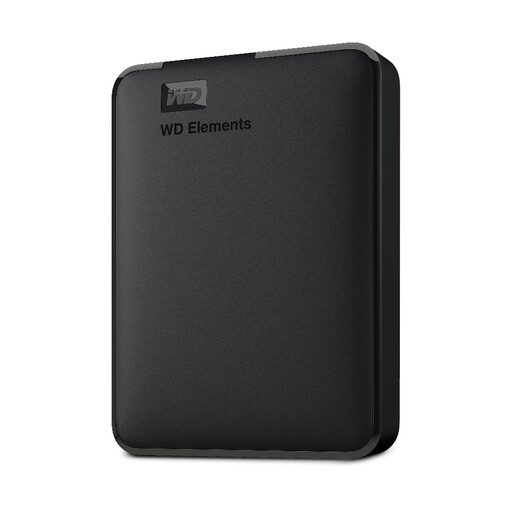 No image available
Consider this 2TB portable hard drive if the school presentation will share space with a broader file archive. The product title states that it is formatted for PC and Mac; still check the physical connector and supplied cable against the computers you will use.
Not necessarily: start by checking that the drive connects to both computers and has enough room for the presentation and its media. Higher stated speeds become more relevant if you repeatedly move large files, but they depend on the connection; Samsung says the T7 Shield’s maximum speeds require USB 3.2 Gen 2 and UASP support.
Check the school computer’s USB port, bring the matching cable or adapter, and confirm that the computer accepts the drive’s file format. Crucial says its X9 ships formatted as exFAT and that reformatting erases data, so keep another copy of important files before making changes.
No: a ruggedness rating describes stated test conditions, not protection against every accident. Samsung says the T7 Shield’s resistance can vary in real use and that liquid, dust and drop damage are not covered under its warranty; keep a second copy of the presentation.
Check your local electrical-waste collection options, or ask the retailer about take-back when buying a replacement. GOV.UK provides guidance on retailers’ take-back responsibilities for waste electrical equipment.