Console players coordinating with teammates
Check your exact PlayStation, Xbox or Nintendo system, the headset connection and whether that route carries microphone chat. Playing game audio alone does not establish chat support.


Choose the connection that supports microphone chat on your exact console or PC before deciding between wired and wireless. A compatible 3.5 mm headset offers a straightforward route without charging; wireless gives you freedom from a cable, but its transmitter and chat support must match your platform. Do not assume Bluetooth audio also carries game chat: Nintendo says Bluetooth microphones cannot be used with Bluetooth audio on the original Switch, while Xbox Support says Xbox One does not connect headsets through Bluetooth.
Check your exact PlayStation, Xbox or Nintendo system, the headset connection and whether that route carries microphone chat. Playing game audio alone does not establish chat support.
A connected headset may still need to be selected as the Windows input device and permitted in the chat app. Microsoft recommends testing the microphone and checking access and mute settings when it is not working.
Compare weight, cushions and headband design, then consider how you will assess fit during a normal-length session. If you prefer wireless, include charging and the supported connection method in that decision.
Start with the device and chat connection; then compare microphone controls, fit and the practical demands of wireless use.
| Priority | What to check | Your needs |
|---|---|---|
| Platform and chat | Match the exact console or PC and headset variant. Check whether its controller jack, USB transmitter or other stated connection supports microphone input. Nintendo distinguishes original Switch Bluetooth audio from the specified headset and microphone connections for Switch 2 GameChat. | I need teammates to hear me, not just game sound to reach the earcups. If I change between systems, each one needs its own confirmed chat route. |
| Microphone control | Compare the stated microphone design and mute control. On Windows, select the headset under Sound input, make a test recording and check app microphone access, as Microsoft advises. | I want to mute quickly and know that the right microphone is active before joining a match. |
| Fit over time | Compare published weight, cushion material and headband design, without treating comfort claims as proof of fit. Check the seller’s return terms before relying on a home fit check. | For longer sessions, I need the headset to remain comfortable with my own head shape or glasses. |
| Wireless routine | Check the exact platform supported by a USB or 2.4 GHz transmitter, what is included and how the headset charges. Nintendo warns that original Switch Bluetooth audio may have latency and cannot use Bluetooth microphones. | Moving without a cable matters to me, but I still need a working chat connection and a charging routine I can manage. |
Nintendo UK says Bluetooth microphones cannot be used with Bluetooth audio on the original Switch, and Xbox Support says Xbox One does not connect headsets through Bluetooth.
Check the console’s supported microphone route as well as audio playback. Where appropriate, use a compatible controller connection or a headset and transmitter specified for that system.
Logitech G lists different Xbox/PC and PlayStation/PC versions of the Astro A20. A shared family name therefore does not establish the same console support.
Match the full model and included transmitter to every system you intend to use, particularly if Xbox is one of them.
Logitech G says expanded cross-console use of certain Astro A20 versions requires an additional transmitter.
Published weight and cushioning help narrow the choice, but they cannot establish how a headset will feel on your head during a long session.
Compare the stated design, check the seller’s return terms and assess fit over the sort of session you normally play.
Windows can play headset audio while a different microphone is selected, app access is off or the headset is muted.
Follow Microsoft’s checks: select the input device, make a test recording and review app access and mute status before troubleshooting the hardware further.
These model examples illustrate different connections and controls; check the exact variant rather than extending one product’s features across a brand.
Its Arctis Nova models include USB-dongle wireless and multi-system designs.
The Barracuda X is an example of a wireless design with a detachable microphone.
Its Cloud II and Cloud III S Wireless illustrate wired and wireless choices with different stated platform lists.
The Astro line includes the wired A10 and wireless designs whose system support depends on the version.
These wired and wireless headset options are relevant to console or PC multiplayer chat. Check the connection and microphone route against your own setup before choosing a model.
 No image available
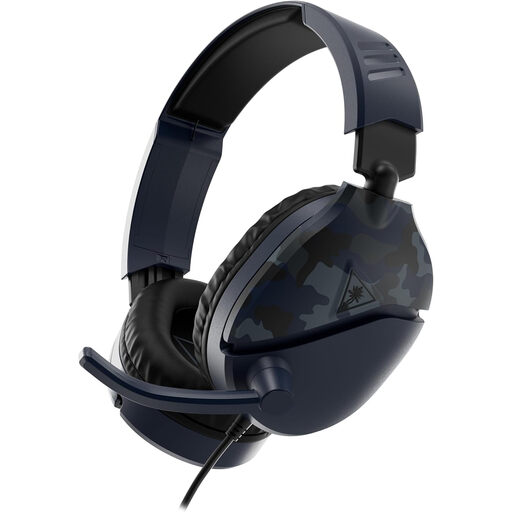
Consider this wired model if you want console or PC chat without headset charging. Logitech G describes a flip-to-mute microphone for the A10; check that your device’s connection carries microphone input.
 No image available
For a wired console or PC setup, confirm that your chosen port supports both game audio and microphone chat. Check compatibility for your exact device: the product information gives different platform lists in different sections.
 No image available
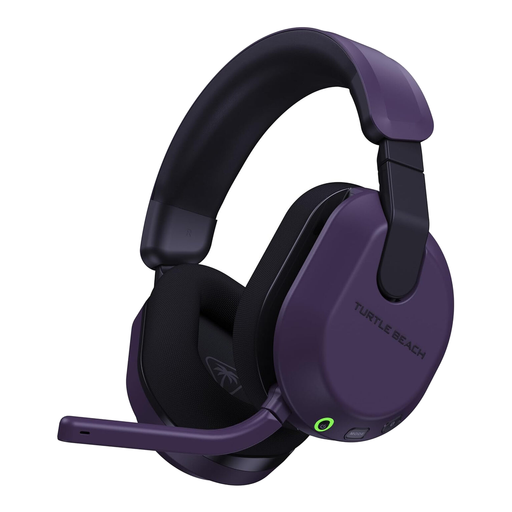
This Xbox-and-PC variant suits a cable-free shortlist if its supplied connection supports chat on your exact system. It needs charging; do not assume that its separately stated PlayStation Bluetooth route provides multiplayer microphone chat.
 No image available
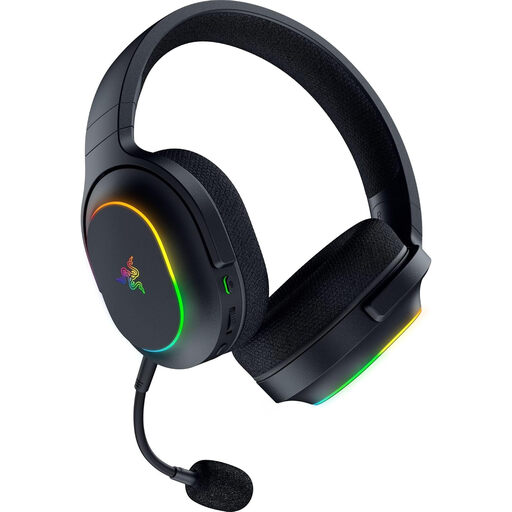
Its detachable microphone is relevant if you alternate between chat and listening without a mic. The Joybuy product page describes Bluetooth 5.2 and up to 70 hours of battery life; that maximum is not a promise of your use time. Xbox wireless is not supported, and Switch microphone chat needs checking for the intended connection.
 No image available
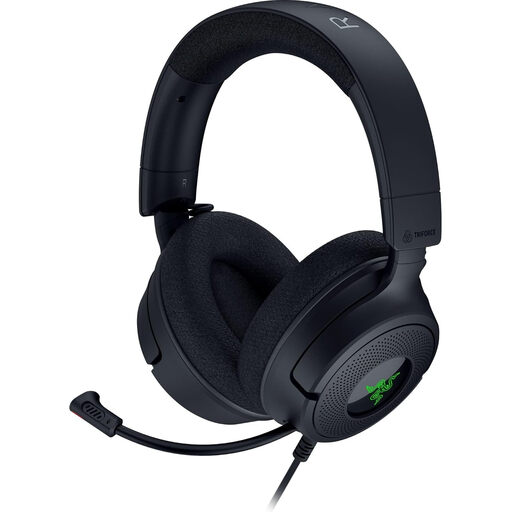
For PC chat, check the available USB connection, select the headset microphone in Windows and test it in your chat app. If you plan to use it with PlayStation, confirm USB microphone support on your setup; do not assume that the listed Windows-only surround feature applies on a console.
No. Nintendo UK says Bluetooth microphones cannot be used with Bluetooth audio on the original Switch, and warns that the audio may have latency. Check the game’s chat method and choose a connection that supports microphone input.
No. Xbox Support says Xbox One does not connect headsets through Bluetooth. A compatible headset can instead use a controller with a suitable 3.5 mm jack, while an Xbox Wireless Headset uses Xbox Wireless.
In Windows, select the connected microphone under Settings > System > Sound > Input, make a test recording and play it back, as Microsoft advises. If chat still fails, check the app’s microphone access, its selected input and the headset’s mute control.
No. Console connections include platform-specific wireless methods, USB transmitters and Bluetooth, with different microphone support. Match the complete headset variant and included transmitter to your console generation and intended chat method.