For late-night play in a shared home, choose a headset by checking how both game audio and microphone chat connect to your device. A wired headset is a straightforward route when the controller or device has a compatible audio-and-microphone port; wireless gives you freedom from a cable, but its adapter, charging needs and chat support must fit your platform. Bluetooth audio alone does not establish that console voice chat will work.
Who needs to check what?
Late-night console players in a shared home
If you want game audio and party chat without using speakers, check how your console receives microphone input as well as how it sends sound to the headset. PCMag UK identifies listening and chatting without disturbing nearby people as a headset use case.
Players switching between devices
If you move between a PC, console and phone, check the connection and chat method on each one. A headset’s Bluetooth mode and its USB-dongle mode need not offer the same functions on every device.
Players in longer evening chat sessions
Fit, accessible mute and volume controls, and a workable charging routine matter alongside compatibility. Check whether the headset remains comfortable for you rather than relying on a manufacturer’s comfort description.
What matters when choosing?
Start with the device and chat service you use, then decide whether a cable or a compatible wireless connection suits where you sit.
| Priority | What to check | Your needs |
|---|
| Private listening |
Check fit and the available volume controls. Keep game effects and chat at a comfortable listening level rather than turning them up to overcome background noise. |
I want to play at night without using speakers, while still hearing chat comfortably. |
| Voice-chat connection |
Check both audio output and microphone input for your exact device and chat service. Xbox Support says Xbox One does not connect to Bluetooth headsets directly; Nintendo UK Support says Nintendo Switch Bluetooth audio cannot use a Bluetooth microphone. |
My teammates need to hear me through the console, game or app I actually use—not just through a headset that plays game sound. |
| Wired or wireless use |
For wired use, check the device port, microphone support and cable reach. For wireless use, check the required adapter, supported platform and charging routine; Nintendo UK Support warns that some Bluetooth audio devices may have a delay. |
I would rather avoid a cable if the wireless connection works for my game and chat setup. Otherwise, a suitable wired connection may be simpler to manage. |
| Fit and controls |
Consider headset weight, ear-cushion fit and access to mute and volume controls. For a wireless model, check whether charging fits your usual session length. |
During an evening session, I want to adjust volume or mute quickly without struggling with the headset’s fit. |
Mistakes to avoid
-
Assuming Switch Bluetooth audio also carries microphone chat
Nintendo UK Support says the Nintendo Switch Bluetooth-audio feature cannot use Bluetooth microphones. You could hear the game privately but still need another way to speak.
Check the game’s chat method and the microphone route before choosing Bluetooth earbuds or a Bluetooth-only headset. Nintendo’s Switch App voice chat applies to supported software and requires an active Nintendo Switch Online membership.
-
Expecting direct Bluetooth pairing with Xbox One
Xbox Support says Xbox One does not have Bluetooth functionality, so mobile Bluetooth support does not establish an Xbox One headset connection.
Check for a compatible controller audio-and-microphone connection or an Xbox-supported wireless method for the exact headset.
-
Treating wireless battery claims as a session guarantee
A manufacturer’s battery figure does not remove the need to charge the headset or keep track of the adapter your gaming connection uses.
Check the exact model’s connection accessories and charging arrangement. If charging would interrupt your usual play, consider a compatible wired headset.
-
Turning up a headset because the speakers are off
Private listening reduces the need to use speakers, but it does not make loud headphone listening harmless. Royal Free London NHS Foundation Trust advises limiting listening volume and taking breaks.
Set game and chat levels so you can hear both comfortably, and use mute or balance controls where available rather than raising the overall volume.
Relevant brand references
SteelSeries
The Arctis Nova 7X Wireless Gen 2 is a model to examine if you use several gaming devices. SteelSeries lists USB-C-dongle support for Xbox, PC, PlayStation, Switch and handhelds.
- Check the exact Nova variant and its included connection accessories for your devices.
- Listed device support does not by itself confirm the microphone path for every game or chat service.
Logitech G / Astro
Logitech G presents the wired Astro A10 for Xbox, PlayStation, Switch, PC and Mac. It is a reference point for a cable-based setup rather than a claim that every port supports chat.
- A wired arrangement avoids headset charging.
- Check the intended device’s audio-and-microphone connection and where the cable will run.
Razer
Razer positions the Barracuda X for PC, console and mobile use. Examine its exact variant and connection method if you regularly change devices.
- Compare the model’s available connections with each device you plan to use.
- Console voice-chat support should not be inferred from Bluetooth support for a phone.
Joybuy headset options
These Joybuy options include wired headsets and wireless models for the late-night gaming scenario. Check each model against your device and voice-chat method before choosing.
 No image available
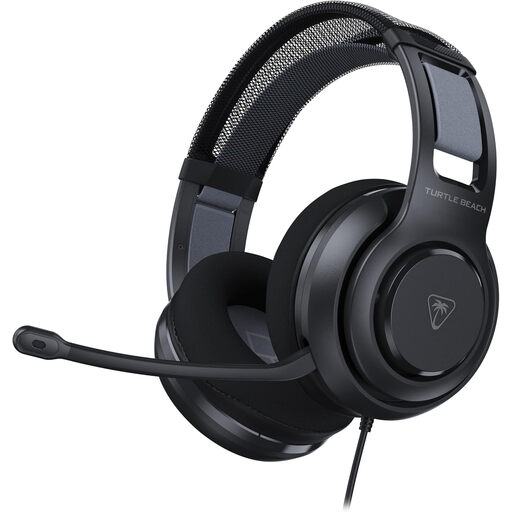
Turtle Beach Atlas 200 Multiplatform, Black
A wired option to consider when you want one headset for gaming across devices. Check that your intended controller or device accepts both audio and microphone input through its 3.5 mm port, and that the cable reaches comfortably.
Joybuy
 No image available
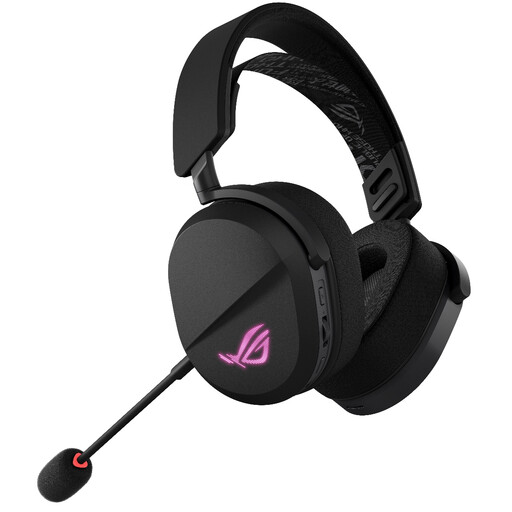
ASUS ROG Pelta Wireless, Black
A wireless option for players considering use across devices. Confirm which adapter comes with this variant and how microphone chat works on each intended console, game or app—particularly on Switch.
Joybuy
 No image available
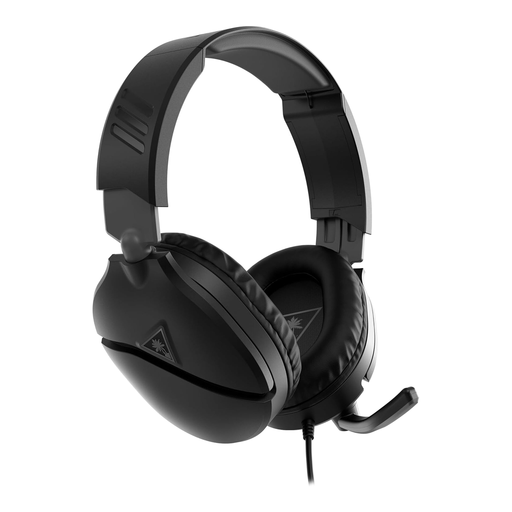
Turtle Beach Recon 70 Wired, Black
A wired console option named for PS5, PS4, Xbox Series X or S and Xbox One. Check microphone input through your intended device’s 3.5 mm connection and make sure the cable arrangement suits where you play.
Joybuy
 No image available
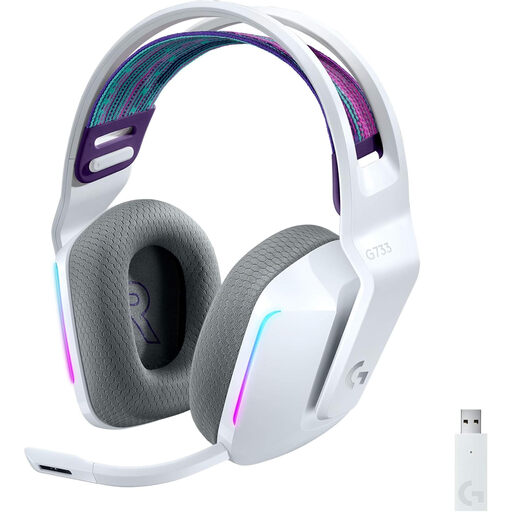
Logitech G G733 LIGHTSPEED Wireless, White
A wireless option for PC, PS4 and PS5 use. The listing describes Switch dock use as stereo sound only; check the intended microphone and chat method before choosing it for Switch, and plan for charging.
Joybuy
 No image available
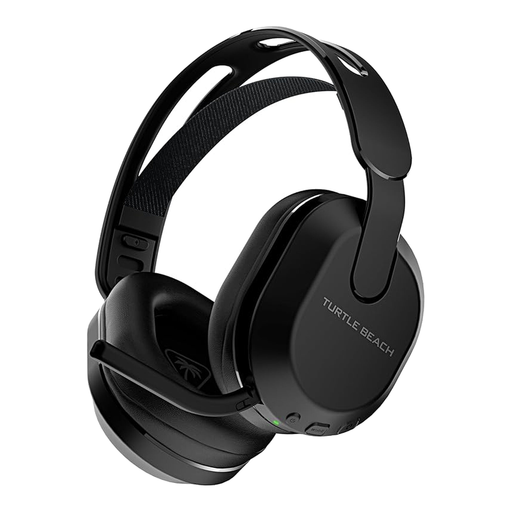
Turtle Beach Stealth 500 Wireless for PC, PS5 and PS4, Black
A wireless option for the named PC and PlayStation platforms. Check the microphone route for your game or chat service, and account for charging during longer sessions; verify compatibility before using it with another platform.
Joybuy
Common questions
Can a Bluetooth headset connect directly to Xbox One for voice chat?
No. Xbox Support says Xbox One does not have Bluetooth functionality. Check for a compatible headset connection through the controller’s 3.5 mm port or an Xbox-supported wireless method instead.
Will a Bluetooth headset microphone work through Nintendo Switch Bluetooth audio?
No. Nintendo UK Support says Bluetooth microphones cannot be used with the Nintendo Switch Bluetooth-audio feature. For supported software, Nintendo Switch App voice chat is a separate route requiring an active Nintendo Switch Online membership; check the method your game uses.
How do I check both game audio and chat compatibility?
Identify your exact device, connection method and game or chat service, then check the headset variant for both sound output and microphone input on that setup. A label such as “wireless” or “multi-platform” is not enough to establish the chat route.
Should I turn up headset volume to hear better at night?
Keep listening at a comfortable level rather than using extra volume to overcome background noise. Royal Free London NHS Foundation Trust advises not exceeding 60% of maximum volume and taking regular breaks.


