Two console players in one room
Give each player their own game and chat audio instead of using room speakers. Check the exact controller jack, USB adapter or console-specific wireless connection for each headset.


For two people gaming close together, start with individual headsets and microphones that can sit near each speaker’s mouth, then check how each headset connects to its console or PC. Closed-back earcups are worth considering for keeping game audio off room speakers, but a directional microphone cannot guarantee that a nearby player’s voice stays out of chat. Wireless convenience does not establish compatibility with every console.
Give each player their own game and chat audio instead of using room speakers. Check the exact controller jack, USB adapter or console-specific wireless connection for each headset.
If both microphones pick up the same conversation, check microphone position and the input selected in the voice-chat app. Discord’s description of Krisp does not establish that it will filter out another person speaking nearby.
Switching between systems may matter more than connecting to just one. Logitech G describes three-system switching for the Astro A50 Gen 5, but that feature should not be assumed for other wireless headsets.
Start with each player’s connection path, then consider what the microphone may pick up and how much game audio reaches the room.
| Priority | What to check | Your needs |
|---|---|---|
| Microphone pickup | Look for a microphone you can position close to your mouth. Check its pickup pattern and mute control, but do not treat a noise-cancelling label as proof that it excludes speech beside you. | I need teammates to hear me without repeatedly hearing the player next to me. Microphone placement and gain matter alongside the headset. |
| Sound in the room | Use individual headphones rather than room speakers. Check earcup fit and whether the exact model has a closed-back design; sound leakage can still vary with fit and listening level. | We both need to hear our own games and chats without broadcasting playback across the room. |
| Device connection | Confirm the exact console, controller port, headset variant and any required USB adapter. Xbox Support says Xbox One cannot connect a headset directly to the console over Bluetooth; SteelSeries specifies the Nova 5X for Xbox within its Nova 5 range. | A headset needs to carry chat as well as game audio on the console or PC I actually use. |
| Multiple audio sources | Check whether the model switches sources or explicitly supports hearing them together. Razer describes 2.4 GHz and Bluetooth switching for the Barracuda X; Logitech G describes switching between three connected systems for the Astro A50 Gen 5. | If I move between systems or take phone calls while gaming, I need to know whether switching is enough or whether I need simultaneous audio. |
Wireless headsets use different connections. Xbox Support says Xbox One does not connect a headset directly over Bluetooth, while PlayStation’s PULSE Elite instructions require its PlayStation Link USB adapter for PS5.
Check the exact headset variant against every player’s device, including its controller jack, available USB port and required adapter.
A directional microphone is not a guarantee against another person’s voice entering chat. Discord describes Krisp as filtering non-human background noises while transmitting the user’s voice.
Keep each microphone near its intended speaker, avoid room-speaker playback and test both players’ voice levels in their usual seats.
Razer describes the Barracuda X switching between 2.4 GHz and Bluetooth; Logitech G describes the Astro A50 Gen 5 switching between connected gaming systems. Neither description alone establishes that audio from those sources plays together.
If you need game and phone or chat audio at the same time, check the exact model’s documentation for simultaneous audio support.
PCMag UK’s June 2026 headset list names the Razer Barracuda X, while Joybuy’s named listing is the Barracuda X Chroma. A shared family name does not establish that their features match.
Compare the complete model name and the connection and microphone specifications before using a review of one variant to choose another.
Logitech G UK describes the wired Astro A10 with closed-back drivers and a uni-directional flip-to-mute microphone; its Astro A50 Gen 5 uses a base station to switch between connected systems.
SteelSeries lists Nova headsets across several platforms, but its Nova 5 support guidance specifically identifies the Nova 5X for Xbox.
Razer’s UK Barracuda X description includes a detachable cardioid microphone and switching between 2.4 GHz gaming wireless and Bluetooth.
These wired and wireless gaming headsets offer different connection choices for players sharing a room. Check the exact device and chat connection for each player; a microphone feature alone does not settle the nearby-voice problem.
 No image available
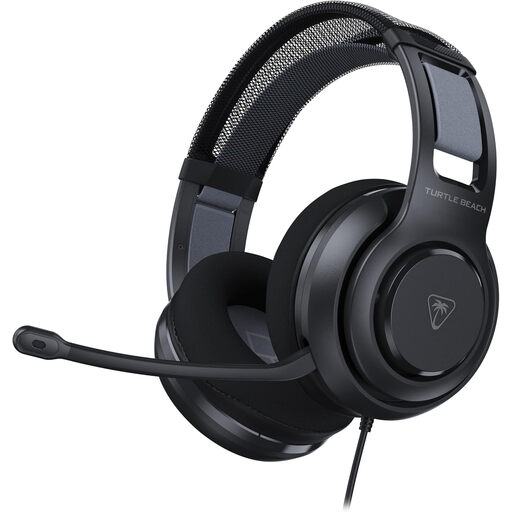
A wired option to consider when each player has a suitable connection for game audio and voice chat. Its title names consoles and PC; check the exact controller or device connection and microphone behaviour in your seating arrangement.
 No image available
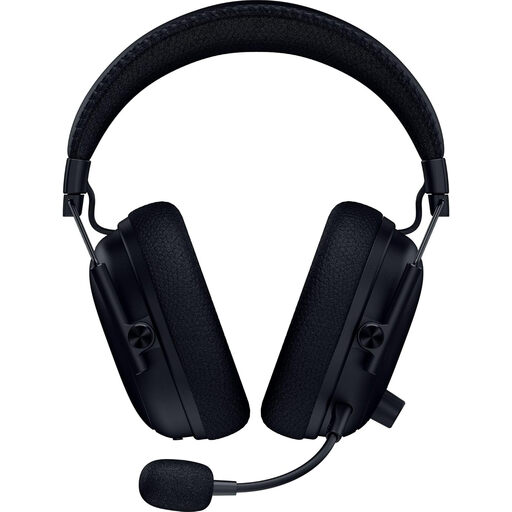
A wireless option for a player who wants to move without a headset cable. Check its exact platform and adapter connection, what the title’s ANC label applies to, and how its microphone handles another person speaking nearby.
 No image available
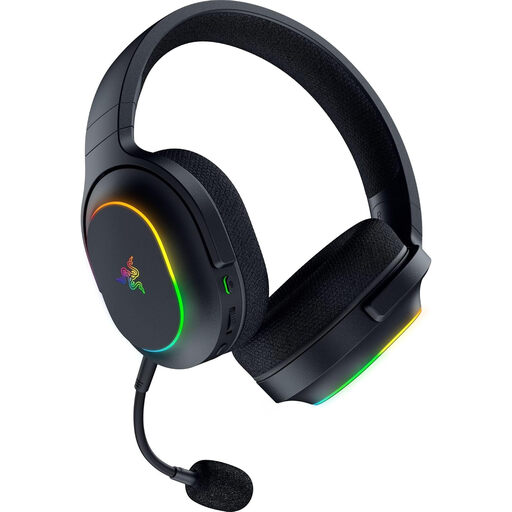
For a player considering both gaming wireless and Bluetooth, the title specifies 2.4 GHz HyperSpeed and Bluetooth 5.2, alongside six-zone RGB lighting and a stated 70-hour battery. Check the intended device connection and whether you need audio sources to play together rather than switch between them.
 No image available
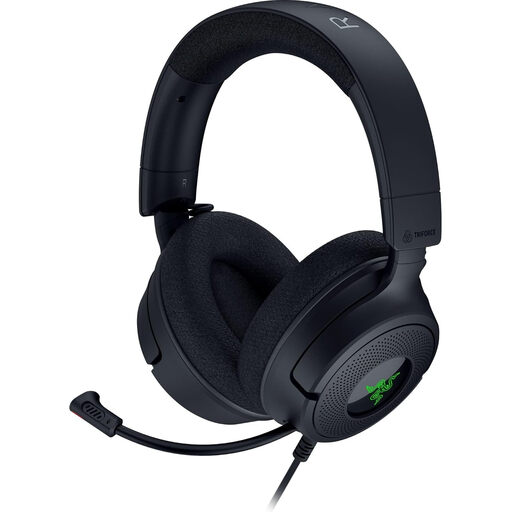
A wired choice to assess for a PC shared-room setup. Confirm the required port and chat support on the device you will use, and check microphone pickup and sound leakage with both players seated nearby.
 No image available
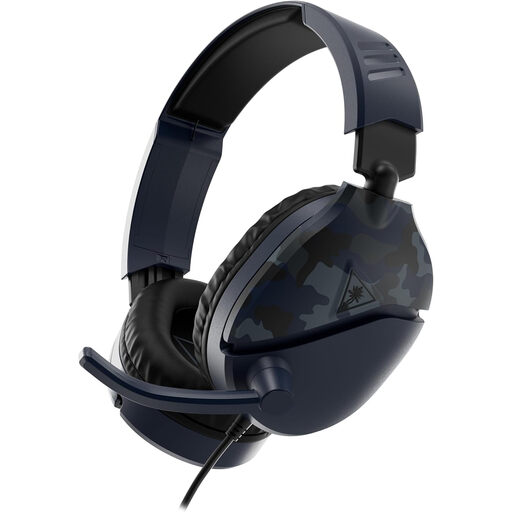
A wired headset whose title names Xbox Series X|S, Xbox One, PS5, PS4, Nintendo Switch and PC. Check the connection and chat function on each intended controller or device; the model name does not establish how much nearby speech its microphone picks up.
No headset feature guarantees that. A directional microphone positioned near your mouth is worth considering, but nearby speech may still enter chat depending on seating, microphone placement and gain.
No. Xbox Support says Xbox One does not connect a headset directly over Bluetooth. Check the headset’s stated Xbox connection method, or whether a compatible wired headset can use your controller’s 3.5 mm jack.
Not necessarily. PlayStation’s instructions for PULSE Elite require its included PlayStation Link USB adapter in a PS5 USB Type-A port. Check the connection requirements for the exact headset rather than assuming its wireless connection is built into the console.
Do not rely on it for that. Discord describes Krisp as filtering non-human background noises while transmitting speech, so it does not establish reliable removal of someone speaking beside you. Use individual headphones and check microphone position and input levels.
Separate devices are an option if the PC and chat app let each player select the intended microphone input and position it close to their mouth. A headset may be simpler when those connections are already confirmed; do not assume a separate-microphone arrangement will also work on a console.