For console platform games in a student room, choose a screen that fits the desk, then check which resolution and refresh-rate modes its HDMI input accepts from your console. A compact Full HD monitor saves space, while a 27-inch QHD screen offers more room for coursework if its footprint fits; pursue 4K at 120 Hz only when the console, display and cable support that complete connection.
Who is this for?
Console players with small desks
If the monitor must share a compact desk with a console, start with its width and stand depth. Check where the cables will run and whether the screen can sit at a comfortable height before choosing on refresh rate alone.
PS5 and Xbox players seeking 120 Hz play
A 120 Hz mode depends on the console, game and display connection. Check the exact monitor's HDMI modes and, if variable refresh rate (VRR) matters to you, whether it works through HDMI with your console.
Students using one screen for study and games
A 27-inch QHD screen may be useful for coursework as well as games when the desk can accommodate it. Stand adjustment or a suitable VESA mount can also matter if the supplied stand puts the screen in an awkward position.
What matters when choosing?
Compare the physical fit first, then the HDMI modes you intend to use. Screen resolution and motion features are worth weighing against those two requirements, rather than against a headline refresh rate in isolation.
Compact Full HD
Choose it when: Desk space matters more than a larger coursework workspace.
Trade-off: Full HD has fewer pixels than QHD; an advertised maximum refresh rate still needs a separate HDMI check.
27-inch QHD
Choose it when: The desk fits a larger screen and you want more space for study alongside games.
Trade-off: Allow for the stand as well as the panel, and confirm that the required 1440p mode works over HDMI.
4K at 120 Hz
Choose it when: Your compatible console and intended games make 4K at 120 Hz a specific priority.
Trade-off: The console, display input and cable must all support the mode; HDMI 2.1 is not required for every lower-resolution 120 Hz setup.
| Concern |
What to check |
Who this matters to |
| Desk fit and positioning |
Measure usable desk width and depth against the monitor's dimensions with stand. Check height adjustment or the VESA mounting pattern if you plan to use an arm. |
I need the screen, stand and console to fit without crowding the desk. Around 31% of consumers put physical fit and positioning first. |
| Console HDMI compatibility |
Match the exact model's HDMI resolution-and-refresh table to your PS5 or Xbox and intended 120 Hz mode; check HDMI VRR support separately. |
If I want supported games to run at 120 Hz, the console's usable HDMI mode matters more to me than the monitor's advertised maximum. HDMI compatibility comes first for around 31% of consumers. |
| Resolution and workspace |
Compare screen size alongside resolution: Full HD is 1920 × 1080, while QHD is 2560 × 1440. Check whether the larger screen fits your viewing distance and desk. |
I use the same screen for coursework and games, so I want enough desktop space without choosing a monitor too large for my room. Around 23% of consumers make that balance their primary concern. |
| Motion and VRR features |
Confirm the desired 120 Hz mode through HDMI before considering higher PC refresh-rate claims. Check whether VRR is available with your console and game. |
Fast movement in platform games makes me attentive to the modes I can actually use, not just the number on the box. Motion and VRR are the first priority for around 15% of consumers. |
Buying pitfalls
-
Taking the maximum refresh rate as the console refresh rate
The maximum may apply through DisplayPort rather than HDMI. Acer lists its Nitro XV272U V3 at up to 180 Hz through DisplayPort but up to 144 Hz at 1440p through HDMI.
Find the exact monitor's HDMI timing information and match it to your console and target mode, such as 1440p at 120 Hz.
-
Assuming the cable on hand will suit 4K at 120 Hz
Xbox Support specifies an Ultra High Speed HDMI cable supporting HDMI 2.1 for 4K at 120 frames per second on Xbox Series X.
Check the cable, console and display input together. If you need a longer cable, confirm the required length and specification before replacing it.
A replacement cable can be an additional setup requirement if the existing one is too short or unsuitable for that mode.
-
Measuring the screen but not its stand
Diagonal screen size does not tell you how far the stand extends across the desk. LG gives its 23.8-inch 24GS60F-B a depth of 180.5 mm with stand; Acer lists 234 mm for the 27-inch XV272U V3.
Measure the usable desk surface, leave space for the console and cables, and check the supplied stand's adjustments before planning to use a separate arm.
-
Applying one product-marking rule across the whole UK
GOV.UK's product-marking guidance distinguishes Great Britain from Northern Ireland. A conclusion about placing a product on the market in England, Scotland or Wales should not be assumed to cover Northern Ireland.
For delivery to Northern Ireland, check the applicable requirements with the seller or current official guidance rather than relying on Great Britain guidance alone.
Brands to consider for these monitor routes
LG UltraGear
LG's UK specifications provide examples of both a compact Full HD monitor and a 27-inch QHD model.
- The 23.8-inch 24GS60F-B has a stated 180 Hz maximum, HDMI input and VESA 100 × 100 mounting. LG publishes its dimensions with stand for a desk-fit check.
- For the QHD 27GS75QN-B, LG says its 200 Hz overclock requires DisplayPort 1.4 graphics support and a DisplayPort 1.4 cable. That figure does not establish an equivalent console mode over HDMI.
ASUS TUF Gaming
ASUS lists the VG27AQ3A as a 27-inch QHD Fast IPS gaming monitor with a stated 180 Hz maximum and adaptive-sync compatibility.
- Its published specifications let you assess the screen size, resolution and stated gaming features together.
- Check the VG27AQ3A's HDMI timing information for your console; the maximum refresh-rate figure alone does not identify its PS5 or Xbox mode.
Acer Nitro
Acer's UK specifications for the XV272U V3 give a model-specific example of a 27-inch QHD monitor with stand adjustments and different input limits.
- Acer lists height, swivel and pivot adjustment, VESA 100 × 100 mounting, and 2560 × 1440 at up to 144 Hz through HDMI.
- The model's stated 180 Hz maximum applies through DisplayPort. Its input limits should not be assumed to apply to other Acer Nitro models.
Joybuy product choices
These monitors offer compact Full HD, 27-inch QHD and 27-inch 4K choices for a student-room gaming setup. Use each model's HDMI timing information and dimensions with stand to decide whether it suits your console and desk.
 No image available
KOORUI MG24A12FV2 24-inch curved Full HD monitor
Consider this 24-inch screen if desk space is your main constraint. Its title specifies a 1080p VA panel, 1500R curve, stated 180 Hz maximum, two HDMI inputs, DisplayPort and tilt adjustment. Check its HDMI timing information for your console's intended refresh rate.
View on Joybuy
 No image available
Samsung Odyssey G6 S27DG612 27-inch QHD OLED monitor
Consider this 27-inch QHD model if you want a larger screen for study and games and can accommodate its stand. Its title states OLED and a 240 Hz maximum; check the HDMI modes available to your console separately.
View on Joybuy
 No image available
LG UltraGear G8 27G850A 27-inch 4K UHD monitor
This is a 4K option to consider if that resolution is a specific priority for games and coursework. Its title identifies a Nano IPS panel, dual-mode 240 Hz/480 Hz operation and HDMI 2.1. Confirm the HDMI timing for your console's target mode and measure the complete stand footprint before choosing it for a small desk.
View on Joybuy
 No image available
HKC G27H2DPro 27-inch QHD Fast IPS monitor
This 27-inch QHD model is worth comparing if one screen will serve coursework and platform games. Its title specifies 2560 × 1440 and a stated 220 Hz maximum. Check the console-compatible HDMI modes and the dimensions with stand before deciding whether it fits your setup.
View on Joybuy
 No image available
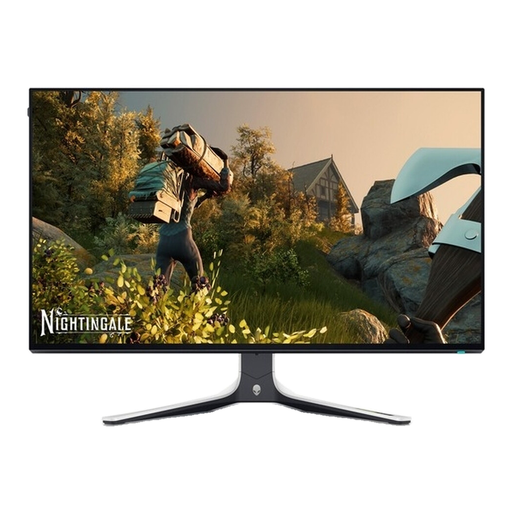
Alienware AW2724HF 27-inch Full HD monitor
Consider this model if a 27-inch Full HD screen suits your desk and console setup. Its title identifies a Fast IPS panel and advertises 360 Hz; confirm the exact refresh-rate specification and the modes available through HDMI rather than treating that figure as a console mode. Check the stand footprint and adjustment options against your desk.
View on Joybuy
Frequently asked questions
Do I need HDMI 2.1 for platform games on PS5 or Xbox?
No: HDMI 2.1 is not required for every platform-game setup or every 120 Hz mode. Xbox Support specifies an HDMI 2.1 display and Ultra High Speed HDMI cable for 4K at 120 frames per second on Xbox Series X; lower-resolution 120 Hz modes can have different requirements. PlayStation provides a PS5 test for 1440p output at 60 Hz, 120 Hz and VRR where the display supports them. Check the exact monitor's HDMI modes for the resolution you intend to use.
Will an advertised 180 Hz monitor run at 180 Hz from my console?
Not necessarily: the advertised maximum may apply to a different input. Acer specifies up to 180 Hz through DisplayPort for its XV272U V3, compared with up to 144 Hz at 1440p through HDMI. Check the monitor's HDMI timing table and your console's supported output mode.
How should I position a monitor on a student-room desk?
Place it directly in front of you at a workable viewing distance. The Health and Safety Executive's display-screen guidance suggests having the top of the screen around eye level and the screen about an arm's length away. Check stand adjustment and desk depth; if using a VESA arm or riser, make sure the mounting system and desk suit the monitor.
Should a monitor have UKCA or CE marking in Great Britain?
For products placed on the market in Great Britain, GOV.UK guidance dated 31 March 2026 says CE marking continues to be recognised alongside or in place of UKCA marking where the relevant product requirements are met. This Great Britain guidance covers England, Scotland and Wales; GOV.UK states that processes differ for Northern Ireland. Check the requirements applicable to the product and delivery location rather than treating either mark alone as proof of suitability.


