
24/7 Customer Support

Free returns

Same-day & Next-day Delivery

Quality Guaranteed

Unlock Your Welcome Offers: FREE Delivery | Up to 80% OFF | Free 30-day JoyPlus trial
Download the APP
A height-adjustable full-motion TV wall bracket can make a noticeable difference in a UK living room, bedroom or home cinema set-up. It can help position the screen for different seating heights, reduce reflections from windows and lamps, and allow the television to retract neatly against the wall when not in use.
However, product listings often make compatibility look simpler than it is. A bracket may support the right screen size but still be unsuitable because of the TV’s weight, VESA pattern or wall construction. Before buying, pay close attention to these common pitfalls.
A listing stating “for 23–55 inch TVs” does not automatically mean it will fit every television in that range. You also need to check:
For example, a television measuring 50 inches may use a VESA pattern outside the bracket’s range. A mismatch can prevent installation or leave the TV poorly supported.
Many products are described as full-motion TV brackets because they swivel and tilt. That does not necessarily mean the screen can be raised or lowered once installed.
A genuine height-adjustable model should state a measurable vertical adjustment range. Gas spring mechanisms may make movement smoother, but they do not replace the need to check the actual height specification.
A bracket that supports up to 25 kg still needs a suitable wall. Extending a TV 515 mm from the wall creates more leverage than leaving it close to the mounting plate.
Do not install a TV bracket into non-load-bearing drywall without an appropriate structural fixing system. Solid brick, concrete or correctly positioned timber studs may be suitable, but the wall type and fixings must be confirmed before installation. If you rent, check that wall mounting is permitted and that the wall can safely carry the load.
The VESA pattern is the horizontal and vertical distance between the mounting holes on the back of the television. A bracket described as a VESA 100x100 to 400x400 mm TV bracket supports patterns within that stated range, subject to the mounting plate design.
Measure the hole spacing in millimetres, rather than relying on the TV’s screen size. Then compare the result with the bracket specification. The weight limit must also include the television itself, not a soundbar or other accessories attached to the arm.
For smaller televisions, a TV wall mount for 23–55 inch TVs may provide a useful range. For larger or heavier screens, choose a mount with a suitable safety margin rather than selecting a product based only on its maximum advertised size.
The arm’s reach affects how easily you can view the screen from a sofa, dining table or adjacent seating position. A mount that extends further can help with corner placement, but it also places greater demand on the wall fixings.
The reference height-adjustable gas spring model provides:
These figures are particularly relevant if you are considering a corner TV wall mount, need to reduce glare or want to move the screen between different viewing positions.
A cable management TV bracket should allow HDMI, aerial and power cables to follow the arm without being sharply bent or trapped. Check whether channels, clips or ties are included.
Post-installation levelling is also useful. A small correction range, such as ±3°, can compensate for minor drilling inaccuracies without requiring the wall plate to be removed and repositioned.
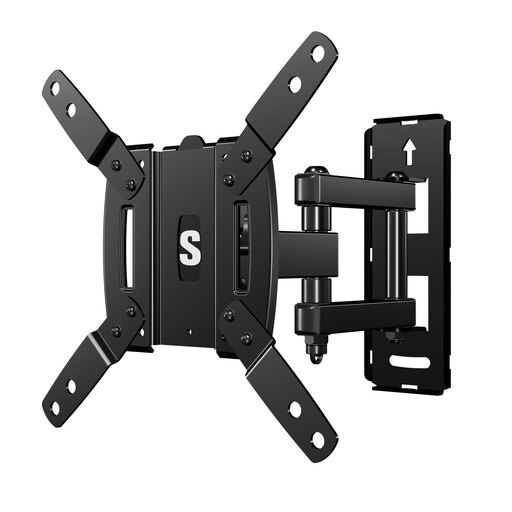
Why This Fits Their Persona: A practical option for smaller televisions in a bedroom, study or compact flat where basic movement is more important than a long extension range.
Its stated compatibility is limited to TVs up to 40 inches, helping buyers avoid paying for a larger mount than their screen requires. Confirm the TV weight and VESA pattern before ordering.
Extends up to 10.47 inches, swivels 30° left and right, and includes cable-organising ties.
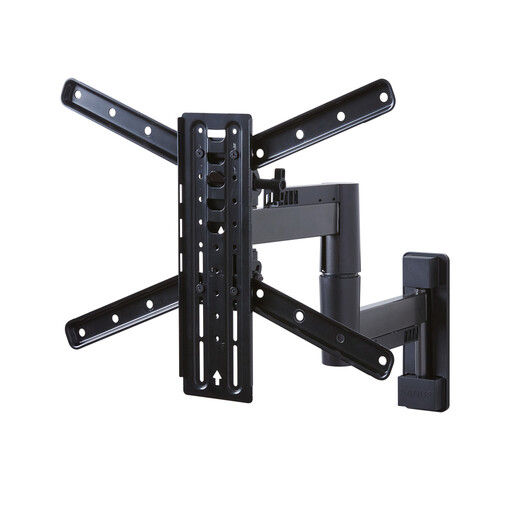
Why This Fits Their Persona: Suitable for a main living-room television where tidy cable routing, a low wall profile and convenient viewing-angle changes are priorities.
The specification states a 2.4-inch wall distance and includes in-arm cable channels, addressing the common problems of bulky retraction and exposed wiring.
Offers tilt, swivel and extension up to 19 inches, with installation height positioning and post-installation levelling.
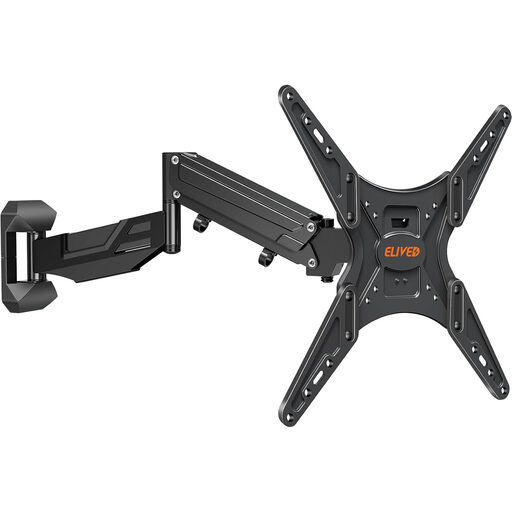
Why This Fits Their Persona: A strong match for users who need a corner TV wall mount, flexible height changes or frequent adjustments between seating positions.
Unlike a fixed mount, its stated height range, swivel movement and post-installation levelling help address awkward viewing angles and minor alignment errors.
Supports up to 25 kg, fits VESA 100x100 to 400x400 mm, and is specified for flat and curved TVs with integrated cable management.
We have compiled a complete, real-time list of products that fully satisfy these strict selection criteria and UK safety regulations.
Before drilling, hold the wall plate against the wall and check the desired screen centreline from your main seating position. Leave enough room for power and HDMI connections when the TV is fully retracted.
During installation:
A gas spring TV wall mount should move smoothly without forcing. If the arm drops, rises unexpectedly or feels uneven, stop using it and check the load setting, fixings and TV weight.
It can be, provided the product specifically lists curved TVs and the VESA pattern and weight are compatible. Spacers may be required where the rear casing is curved or recessed. Check the supplied hardware and television instructions before fitting.
The bracket itself does not use electricity. A gas spring mechanism is mechanical, so there is no ongoing power cost from the mount. Any running cost comes from the television, soundbar or motorised accessories connected to the set-up.
Lifespan depends on the wall, fixings, TV weight, frequency of movement and installation quality. Avoid exceeding the stated load limit, do not force the arm, and periodically inspect the screws, joints and cable routing. A correctly matched and securely installed swivel and tilt TV mount can remain practical for many years, but it should be replaced if any component bends, loosens or shows damage.