
24/7 Customer Support

Free returns

Same-day & Next-day Delivery

Quality Guaranteed

Unlock Your Welcome Offers: FREE Delivery | Up to 80% OFF | Free 30-day JoyPlus trial
Download the APP
Is your Nintendo Switch constantly flashing "not enough space"? Are your drone's 4K videos stuttering during playback? Or perhaps you're tired of long loading screens on your Steam Deck? A slow or full memory card is often the culprit, turning a powerful device into a frustrating experience.
Choosing a new memory card can feel like navigating a maze of technical jargon: V30, A2, UHS-I, Express. This guide is designed to cut through the clutter. As the Joybuy Product Recommendation Officer, my role is to provide clear, practical advice to help you find a reliable high speed microSDXC card that fits your device and your budget, without the marketing hype.
Before you buy, it's helpful to understand what the letters and numbers on a memory card actually mean. Focusing on these three areas will ensure you get the right performance for your needs.
The speed of a card determines how quickly it can read (load) and write (save) data. This is crucial for smooth performance.
Capacity is straightforward, but it's easy to buy too little or pay for more than you need.
Finally, always check the maximum capacity and speed class your device supports. Using a top-tier microSD Express card in a device that only supports the UHS-I standard will limit the card to UHS-I speeds. A quick search for your device's specifications (e.g., "Nintendo Switch max SD card capacity") can save you from overspending on performance you can't use. Remember, the term TF card (TransFlash card) is simply an older name for what we now universally call a microSD card.
Based on performance specifications, features and user applications, here are our recommendations for 2026.
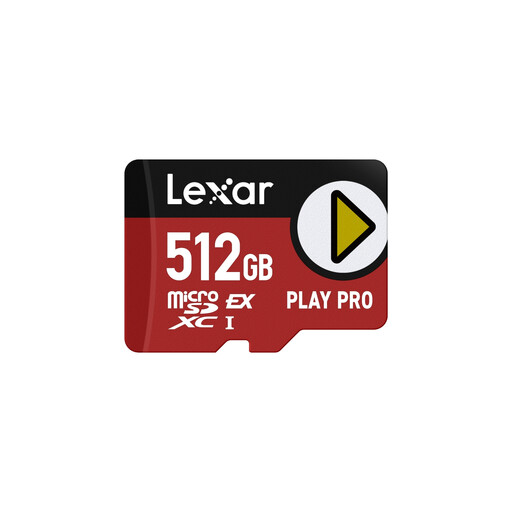
Why It Stands Out: This card represents the next generation of portable storage. By using the microSD Express interface with PCIe and NVMe technology, it achieves read speeds of up to 900MB/s—multiple times faster than traditional UHS-I cards. This translates to dramatically reduced game loading times and incredibly fast file transfers on compatible devices.
Pros:
Who is it for? Power users, dedicated gamers and professionals with microSD Express-compatible devices (like certain high-end laptops or future handhelds) who demand the absolute fastest performance possible from their portable gaming memory card.
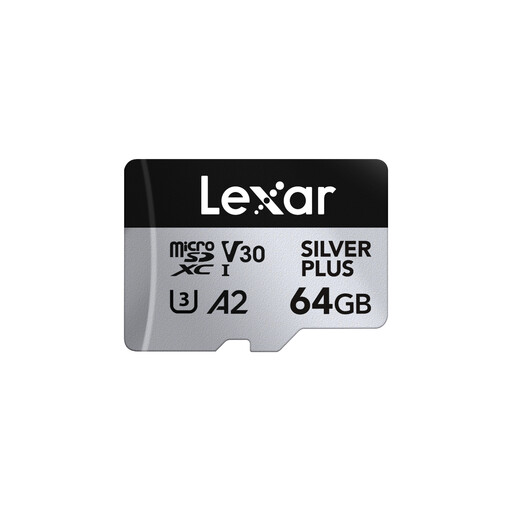
Why It Stands Out: The Silver Plus series strikes an excellent balance between speed and versatility. With a read speed of up to 205MB/s, it pushes the boundaries of the UHS-I standard. Its combination of A2 and V30 ratings makes it a true all-rounder, capable of handling demanding applications and smooth 4K video capture.
Pros:
Who is it for? Content creators, action camera enthusiasts and gamers who want a significant performance uplift over standard cards without needing a microSD Express-compatible device.
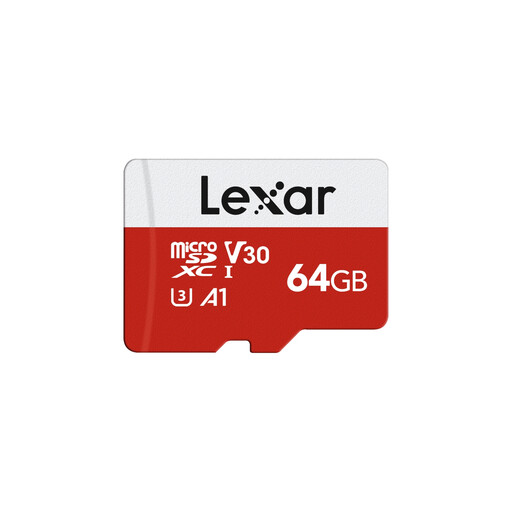
Why It Stands Out: This card is a dependable and affordable solution for everyday storage expansion. It delivers solid, reliable performance with read speeds up to 100MB/s and meets U3, V30 and A1 specifications. It’s a no-fuss option that gets the job done for a wide range of devices.
Pros:
Who is it for? Users looking to affordably expand the storage on their smartphone or tablet, casual drone pilots, or those needing a reliable card for a dash cam or home security camera.
If our recommendations don't quite fit your specific capacity or performance needs, there are many other options to consider. Whether you need a larger capacity for your gaming library or a different speed class for a specific camera, finding the right card is key.
Explore our full range of 4K SD Card options to find the perfect match for your device.
Q1: What's the difference between a microSDXC and a microSDHC card? The main difference is capacity. MicroSDHC (High Capacity) cards range from 4GB to 32GB. MicroSDXC (Extended Capacity) cards range from 64GB to 2TB. Most modern devices, including the Nintendo Switch, Steam Deck and 4K drones, require the larger capacities offered by microSDXC cards.
Q2: Is an A2-rated card necessary for a Nintendo Switch? While the Nintendo Switch doesn't fully leverage the specific technology of the A2 rating for launching games, an A2 microSD card is still a high-performance card that delivers excellent random read speeds. This ensures consistently fast and reliable game loading compared to A1 or non-rated cards, making it a solid choice for a smooth gaming experience.
Q3: Can I use a high speed microSDXC card in any device? Generally, yes, thanks to backwards compatibility. A new, fast card will work in an older device, but it will only operate at the maximum speed the device allows. To get the advertised speeds of a UHS-I or microSD Express card, your device's card slot must support that same standard. Always check your device's specifications to ensure you get the performance you are paying for.