What to check before buying
Establish how your flight provides audio before choosing between a wired pair and wireless headphones with a cable. Then weigh long-wear fit, personal-device listening and what you will need to carry.
| Concern |
What to check |
Who this matters to |
| Seatback connection |
Ask the airline about the audio socket or direct Bluetooth pairing on your flight. Match the headphone cable and any adaptor to that arrangement. |
If I mainly want to hear the aircraft screen, I need a connection I can use rather than Bluetooth that works only with my phone. Around 36% of consumers put seatback compatibility first. |
| Long-wear fit |
Consider the over-ear fit and the exact model’s noise-control features. Check whether those features need power. |
For a long listening session, I care about how the cushions feel and whether I want noise control, while still needing a workable connection. Comfort is the first concern for around 29% of consumers. |
| Personal-device listening |
Check the airline’s Bluetooth rules for your own device and whether the headphones also have an analogue connection. |
I want to listen wirelessly from my phone or tablet, but I may need a cable for the seatback screen. Around 21% of consumers prioritise personal-device wireless listening. |
| Items to carry |
Check the cable ends and box contents; take an aircraft adaptor only for a confirmed compatible socket. |
I would rather pack one connection setup I know how to use than carry an adaptor that may not fit. Keeping the setup simple comes first for around 14% of consumers. |
Joybuy headphones for this trip
These choices cover a wireless over-ear pair with a model-supported wired fallback and a wired over-ear pair. For either one, match your intended flight’s audio connection before relying on it for seatback entertainment.
 No image available
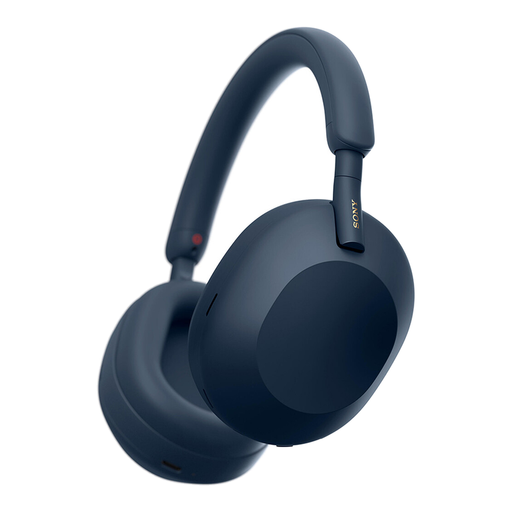
Sony WH-1000XM5 Wireless Noise Cancelling Headphones, Blue
Consider these if you want wireless listening from your own device as well as a wired route for a compatible aircraft output.
Sony specifies a stereo mini-jack input and passive wired operation for the WH-1000XM5. Check the cable ends and your flight’s socket; direct seatback Bluetooth pairing is a separate question.
View on Joybuy
 No image available
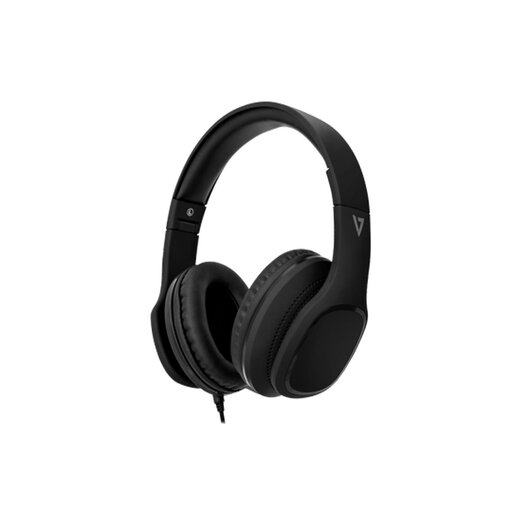
V7 HA701-3EP Wired Over-Ear Headphones
Consider this wired pair if you prefer not to rely on Bluetooth pairing for seatback listening.
The product name specifies 40 mm drivers and an inline MEMS microphone. Confirm the plug and your aircraft’s audio socket before travel.
View on Joybuy
Questions about in-flight headphones
Will Bluetooth headphones pair with every seatback screen?
No. Permission to use Bluetooth headphones with your own device does not establish that a seatback screen can pair with them. Emirates limits direct pairing to selected latest A380 aircraft, routes and configurations, so ask your airline about the equipment on your flight.
What should I ask the airline before choosing headphones?
Ask how audio is provided in your cabin on the intended flight: a single 3.5 mm socket, a dual-pin socket, direct Bluetooth pairing, a supplied headset or another arrangement. If you plan to use a Bluetooth transmitter, ask separately whether it is permitted and what audio output it would connect to.
How can I check my cable before boarding?
Unpack it, identify both ends and test the headphones’ wired mode with a compatible source before departure. If the airline has confirmed a dual-pin socket, check that your adaptor accepts the cable, and keep both items where you can reach them during the flight.
What should I do with rechargeable headphones before travelling?
Charge them and check the operating airline’s device and battery rules. GOV.UK advises that electronic devices may need to switch on when requested and notes that airlines can have different restrictions.


