What to check before buying
Begin with the new phone’s supported transfer method, then check whether your existing cable fits and carries data. Use separate storage or a computer when you want an additional copy of accessible files, not as a substitute for checking apps and accounts.
| Concern |
What to check when buying |
Who this matters to |
| Data-capable cable |
Check that the cable explicitly supports data transfer, that both ends fit, and that the destination phone’s transfer steps accept the connection. |
If I want a direct phone-to-phone move, I need a cable that fits and carries data; around 29% of consumers put that connection first. |
| Apps and account access |
Check what the exact phone’s transfer tool copies and confirm important accounts work before erasing the old phone. |
When I need to keep app data and reach important accounts, I check those separately from copied files; around 29% of consumers make continuity their main concern. |
| Separate file copy |
Check the required capacity and whether the phone supports the USB or SD storage route; open copied files before changing the originals. |
If I want a separate copy of photos or files I can inspect, local storage may suit that task; around 21% of consumers put a local backup first. |
| Computer connection |
Check the computer’s port, the cable’s data capability and whether you need file copying or a manufacturer’s backup-and-restore process. |
When I plan to copy accessible files to a computer or use a supported backup tool, I check the connection and process; around 21% of consumers prioritise that route. |
Brands to know for Android transfer accessories
These examples cover documented cable, transfer-tool and storage routes; suitability depends on the phone and the exact product variant.
Belkin
A data-specified USB-C-to-USB-C cable is one option for a wired route.
- Belkin states that the cited BoostCharge CAB003bt1MWH supports USB 2.0 data transfer up to 480 Mbps.
- That is a manufacturer-stated maximum for this model, not a measured phone-migration speed; check the specific cable rather than assuming every charging cable transfers data.
Google
Google documents Android and Pixel transfer instructions as well as USB-C cable options.
- Google Android Help describes cable and wireless options for Android setup, and Google’s cited USB-C cables are described as supporting data transfer.
- A Google cable is not inherently required; check the existing cable and the destination phone’s procedure. Pixel transfer steps can vary by model.
Samsung
Samsung documents Smart Switch routes for transfers to a Galaxy, alongside USB-C storage options.
- Samsung describes cable, wireless and computer Smart Switch methods.
- Device requirements apply, and Samsung says some secure or encrypted data does not transfer. Its stated flash-drive read speed is not a phone backup write-speed measurement.
Kingston
The DataTraveler microDuo 3C range is a dual-connector storage option for compatible USB-C phones and USB-A computers.
- Kingston specifies USB-C and USB-A connectors and 64 GB, 128 GB and 256 GB variants.
- The stated speed of up to 200 MB/s is a read-speed claim; check the phone’s external-storage support, and do not expect a drive to migrate apps.
SanDisk
The Ultra Dual Drive Go is a USB Type-C storage range for moving accessible files between compatible devices.
- SanDisk identifies a dual-connector 128 GB variant.
- A file copy is not a complete Android migration. Check the exact connector configuration and applicable UK product terms before choosing a variant.
Joybuy product options for Android transfers
These Joybuy options cover USB-to-USB-C and USB-C-to-USB-C cable formats, plus dual-interface flash drives for keeping a separate copy of accessible files. Check your phone’s supported transfer method and storage compatibility before choosing.
 No image available
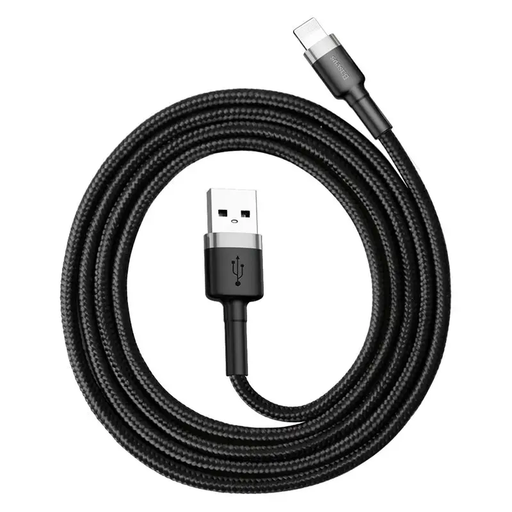
Baseus 3A Cafule USB to USB-C Cable, 1 m, Grey/Black
Consider this cable when a USB-to-USB-C connection matches the devices and supported transfer procedure.
The listed cable is 1 m long and Grey/Black.
Check both device ports and confirm that the cable supports data transfer; connector fit alone does not establish that it will work with every migration method.
View on Joybuy
 No image available
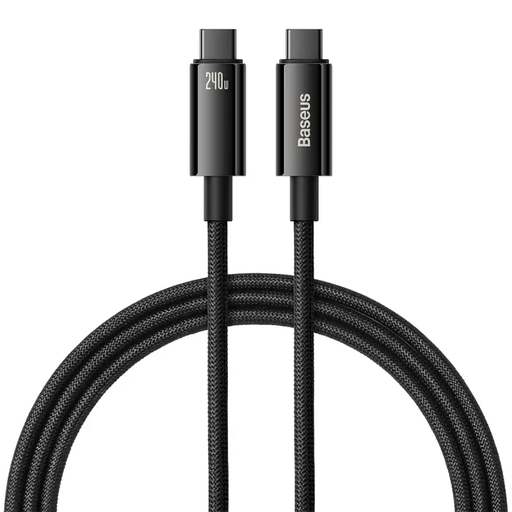
Baseus Tungsten Gold USB-C to USB-C Data Cable, 240W, 1 m, Black
Consider this cable for a wired transfer when both devices and the destination phone’s procedure accept USB-C connections.
The product name specifies USB-C at both ends, 240W and a 1 m length.
Check the phone ports and transfer instructions; the stated charging wattage does not by itself confirm that a cable works with a particular migration method.
View on Joybuy
 No image available
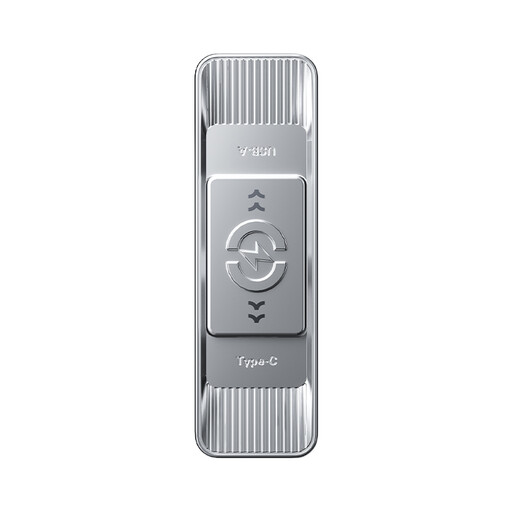
MOVESPEED YSUSP05-128GSR Dual-Interface USB Flash Drive, 128GB
Consider a separate drive when you want to keep accessible local files apart from the phone-to-phone migration.
The product name lists 128GB, USB 3.2 Gen 1 and Type-C interfaces, and a stated read speed of 570MB/s.
Check that the phone supports the connected USB storage. Copying files to a drive does not move every app or account detail.
View on Joybuy
 No image available
MOVESPEED YSUSP05-512GSR Dual-Interface USB Flash Drive, 512GB
Consider a separate drive when you want to keep accessible local files apart from the phone-to-phone migration.
The product name lists 512GB, USB 3.2 Gen 1 and Type-C interfaces, and a stated read speed of 570MB/s.
Check that the phone supports the connected USB storage. Copying files to a drive does not move every app or account detail.
View on Joybuy
 No image available
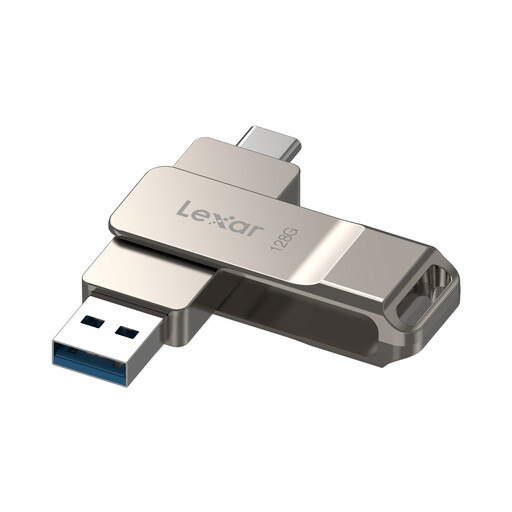
Lexar D40E LJDD40E128G-BNSNG Dual USB Flash Drive, 128GB
Consider this drive for keeping a separate copy of accessible files when its connector format suits your devices.
The product name specifies 128GB, USB 3.2 Gen 1 and Type-C.
Android use requires USB OTG support. Check external-storage compatibility; a file copy does not transfer every app or account detail.
View on Joybuy
FAQs about moving data to a new Android phone
How can I tell whether my existing cable transfers data as well as charging?
Check its stated data-transfer capability and test it using a supported connection. Google Android Help says that not all USB cables transfer files; for a Windows computer file copy, unlock the phone and select File Transfer from its USB notification. Charging wattage alone is not the check.
Will copying photos to a USB drive move my apps and accounts?
No. A USB drive can hold accessible files, but copying those files is separate from Android setup or a manufacturer’s migration tool. Check the destination phone’s transfer steps and confirm important accounts separately.
When should I back up an SD card before moving it?
Back it up before formatting the card or removing the only copy of files you want to keep. Samsung UK says formatting permanently wipes stored data, and SD-card support varies by phone model.
Will Smart Switch or Pixel’s transfer tool work the same way on every Android phone?
No. Samsung’s instructions concern transfers to a Galaxy and include device requirements, while Google Pixel Phone Help describes steps that can vary by model. Check the old and destination phone models and their instructions before choosing an accessory.
What should I check before giving away or selling my old phone?
Keep a backup of the data you want and confirm you can access important accounts and verification methods on another device before erasing the old phone. The UK National Cyber Security Centre advises using the device’s erase or factory-reset feature before handing it on.


