Fixed-studio archive keeper
You keep completed episodes, masters and project folders at a main workstation. Capacity for files you intend to retain matters more than carrying the drive between sessions.


Choose a desktop external HDD if completed episodes will mainly stay at one studio workstation and archive capacity is the priority; a portable SSD makes more sense for frequent hand-offs of active projects. Where several people can reach material containing personal or confidential information, consider password protection and encryption alongside access controls. Neither type of drive replaces a separate, recoverable backup copy.
You keep completed episodes, masters and project folders at a main workstation. Capacity for files you intend to retain matters more than carrying the drive between sessions.
You manage an archive used by staff or contractors and need to know who can access it and how to restore it. The National Cyber Security Centre advises keeping backups separate and reviewing access to backup media.
You move active sessions between the studio, home and recording locations. A portable drive may suit those hand-offs, provided its capacity and connection work for each workstation.
Decide whether the drive will hold a mostly stationary archive or travel with active projects, then plan a separate recovery copy and appropriate access controls.
| Concern | What to check | Who this matters to |
|---|---|---|
| Archive capacity at the workstation | Size the drive against retained masters, raw recordings and project folders, including expected growth. Check desk power and workstation connections for a desktop model. | If completed episodes stay at one workstation, I need space for the files the studio plans to keep; around 42% of consumers put fixed-archive capacity first. |
| Recovery and shared access | Identify who controls passwords and physical access, where a separate copy will live, and how a complete project will be restored. | With several people using the studio, I need to recover projects and limit access to sensitive material. For about 33% of consumers, recovery and access control are the primary concern. |
| Portable project hand-offs | Check capacity for active sessions and the ports and cables on each computer. Samsung conditions the T7 Shield’s quoted maximum speeds on USB 3.2 Gen 2, a compatible cable and UASP. | When sessions travel between recording and editing locations, I want transfers that fit that workflow; roughly 25% of consumers prioritise portable hand-offs. |
A lost, failed or damaged drive could take the episode files with it. The National Cyber Security Centre describes a backup as a separate copy kept in a safe location.
Keep another recoverable copy separately, and periodically test whether you can restore a complete episode project and its assets.
The National Cyber Security Centre warns that ransomware can reach attached removable media, putting the backup at risk alongside the computer.
After a completed backup and restore check, disconnect removable media when it is not needed, unless it forms part of a deliberately managed backup arrangement.
Samsung bases the T7 Shield’s IP65 and drop claims on controlled tests and says liquid, dust and drop damage are not covered under its stated warranty conditions.
Handle the drive carefully and keep a separate copy rather than relying on its casing to protect the only project files.
Samsung’s maximum T7 Shield read and write figures require a USB 3.2 Gen 2 host, a compatible cable and UASP.
Check the ports, cables and connection settings on the studio’s editing computers before making transfer speed the deciding factor.
Its My Book desktop HDD range is relevant to an archive kept at one workstation. Western Digital identifies an 8TB model and says the range reaches up to 26TB.
Its Expansion Desktop range provides fixed-workstation storage options; Seagate’s UK data sheet lists 4TB, 6TB and 8TB EMEA models.
Its portable T7 Shield SSD is relevant when active podcast sessions regularly move between work locations. Samsung lists a 1TB USB 3.2 Gen 2 model.
These drives cover portable HDDs for moving stored files, a desktop HDD for a fixed archive and a portable SSD for active-project hand-offs. Choose capacity against the studio’s retention plans and keep a separate recovery copy whichever drive you use.
 No image available
Consider this portable HDD when the archive must sometimes move between workstations. Check the studio’s operating systems and file-system workflow; the listing describes a downloadable HFS+ driver for Windows use.
If password protection is required, confirm who will manage access and recovery. Keep another recoverable copy separately.
 No image available
This portable HDD suits a working archive only if the studio’s retained files and expected growth fit its capacity. Check the cross-platform file workflow before sharing it between Windows and macOS computers.
Plan password ownership if access control matters, and store a separate recoverable copy.
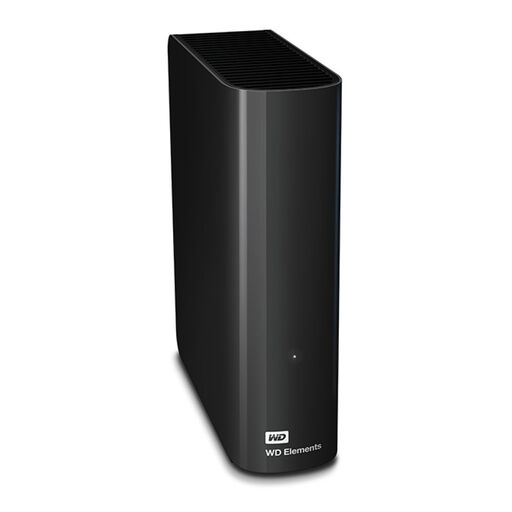 No image available
This desktop HDD fits a mainly stationary archive if its capacity covers retained episodes and planned growth. Allow space and power for the desk setup, and check whether the studio’s macOS workflow requires reformatting.
Confirm any required encryption or scheduled-backup functions before buying; maintain a separate recovery copy.
 No image available
This portable SSD is a choice for moving active sessions rather than selecting a main archive on capacity alone. If quoted maximum transfer speeds matter, check for a compatible USB 3.2 Gen 2 host and cable with UASP enabled.
Carry a separate recoverable copy; do not rely on portable-drive durability claims to protect the only project files.
 No image available
Consider this portable HDD when files need to travel and the studio’s archive plan fits the stated capacity. Check compatibility across workstations, including whether reformatting is needed for a Mac.
Confirm encryption or scheduled-backup functions if your shared-access process requires them, and retain another recoverable copy.
No, if it is the only recoverable copy. The National Cyber Security Centre advises keeping backups in a separate safe location and disconnecting removable backup media when it is not in use; test that a complete episode project can be restored.
No. The Information Commissioner’s Office says UK GDPR does not specifically require encryption of all personal information; security measures must be appropriate to the risk. If the archive contains personal information and the drive could be accessed, lost or stolen, assess encryption alongside password management and access controls.
A desktop HDD suits an archive that mainly stays at one workstation when capacity leads the decision; a portable SSD suits frequent movement of active projects when the computers support the required connection. Samsung’s quoted maximum T7 Shield speeds require USB 3.2 Gen 2, a compatible cable and UASP. Either choice still needs a separate backup copy.
Assign responsibility for the drive and any passwords, limit physical access, and review permissions when staff or contractors change. The National Cyber Security Centre recommends least-privilege access and reviewing who can physically reach backup media.