Who needs a different layout?
The useful change might be a new assignment for an existing button, an input within easier reach, or a layout you can switch between games.
PS5 players changing button positions
If you need different assignments for existing controls, PlayStation documents custom button assignments and profiles for DualSense Edge. Its configurable back buttons offer another physical position for inputs. For a different PS5 layout with external control devices, PlayStation describes the Access controller’s expansion ports; check that the devices you intend to use are compatible.
Xbox and Windows players using extra inputs
Xbox documents remapping and saved profiles for the Elite Wireless Controller Series 2. If you want programmable buttons on a wired Xbox or Windows controller instead, PowerA documents four mappable buttons on the FUSION Pro 4. Check the exact model and its configuration method before choosing between them.
Windows players wanting simpler mapping
For two extra bumpers without a software-based mapping step, 8BitDo specifies L4 and R4 bumpers and mapping without software on the Ultimate 2C Wireless. Its stated compatibility includes Windows 10 and above; that does not establish compatibility with Xbox or PS5 consoles.
What should you check first?
Identify the platform and the action you want to move before comparing controllers. Then check whether you need an extra physical input, saved layouts or a particular connection for setup.
| Priority |
What to check |
Your needs |
| Platform compatibility |
Match the exact controller model to your console or PC operating system. Check game or application support separately from controller connection. |
I play on a specific console or computer, so a useful button layout only matters if that controller works with my setup. |
| Type of remapping |
Check whether system or game settings can swap the existing inputs you use. If an action needs another physical position, check what rear buttons, bumpers or expansion inputs the exact controller offers. |
Swapping two buttons might solve the problem for me. If I need a command away from the face buttons, I want to know where an extra input sits and what it can be assigned to. |
| Saved layouts |
Check whether profiles save assignments and can be switched on the controller. Xbox Support documents up to three selectable profiles for Elite Series 2; PlayStation documents up to 30 Access profiles, with three stored on the controller. |
My preferred controls change between games, so switching a saved layout would be more useful than setting it up again each time. |
| Connection and setup |
Check the play and configuration connections separately. Xbox Support says most Xbox Accessories app features are not supported over Bluetooth on Windows; it advises a USB cable or Xbox Wireless Adapter for configuration. |
I may play wirelessly, but I also need a way to make and change my button assignments on the computer I use. |
| Physical layout |
Check the position of additional controls and whether the required external devices work with any expansion ports. PlayStation specifies 3.5 mm expansion ports for the PS5 Access controller. |
If changing assignments leaves the buttons in the wrong places for me, I need to assess the controller’s physical arrangement rather than its mapping menu alone. |
Which brands offer relevant options?
These manufacturer-documented examples show different approaches to mapping and physical inputs. Compatibility and features apply to the named models, not every controller from each brand.
PlayStation
For PS5, DualSense Edge offers remapping in a conventional controller layout, while Access provides a more configurable physical layout.
- PlayStation documents custom DualSense Edge button assignments and profiles, including profile configuration on Windows through PlayStation Accessories.
- PlayStation says Access supports up to 30 profiles, stores three on the controller and has 3.5 mm expansion ports for additional control devices.
- Check game, device and accessory compatibility for the exact PS5 or PC setup.
Xbox
Elite Series 2 is an Xbox and Windows route for players who want app-based remapping and saved layouts.
- Xbox Support documents button or input remapping and up to three selectable profiles for Elite Series 2.
- Xbox specifies Xbox-console and Windows-PC compatibility for Elite Series 2 Core.
- On Windows, Xbox says most Accessories app features require a configuration connection other than Bluetooth; check package contents separately if you need paddles.
PowerA
FUSION Pro 4 is a wired option for compatible Xbox consoles and Windows PCs when extra programmable controls are the goal.
- PowerA specifies four Advanced Gaming Buttons that can be mapped on the controller without changing system settings.
- FUSION Pro 4 is wired, so it does not meet a requirement for untethered play.
8BitDo
Ultimate 2C Wireless is a Windows-focused way to consider two extra bumpers and mapping without software.
- 8BitDo specifies L4 and R4 bumpers, custom mapping without software and compatibility with Windows 10 and above and Android 9.0 and above.
- Its stated connection modes differ by platform; the manufacturer information does not establish Xbox or PS5 console compatibility.
Razer
The Wolverine models illustrate why the exact version matters when comparing Xbox and PC controllers.
- Razer identifies Wolverine V3 Tournament Edition as a wired Xbox and PC controller.
- For Wolverine V3 Pro 8K PC, Razer says Synapse 4 can map keyboard keys to six programmable buttons and save up to four onboard profiles.
- Do not transfer platform or connection specifications from one Wolverine model to another.
Joybuy controller options
These options cover a PS5 controller and wired or wireless Xbox and PC controller choices. Decide whether you need remapping alone or another physical input, then check the exact model, connection and package contents.
 No image available
Microsoft Xbox Elite Wireless Controller Series 2
Consider this Xbox controller if you want to change button assignments and use different layouts. Xbox Support documents remapping and up to three selectable profiles for Elite Series 2. For Windows configuration through Xbox Accessories, Xbox advises USB or an Xbox Wireless Adapter rather than relying on Bluetooth.
View on Joybuy
 No image available
Sony DualSense Edge PS5 Wireless Controller — White
For PS5 play, DualSense Edge lets you change button assignments and save custom profiles; PlayStation also documents configuring its profiles on Windows through PlayStation Accessories. If trigger effects matter to you, PlayStation says they do not work with the trigger-stop sliders at medium or shallow settings. Check support in the games and PC applications you intend to use.
View on Joybuy
 No image available
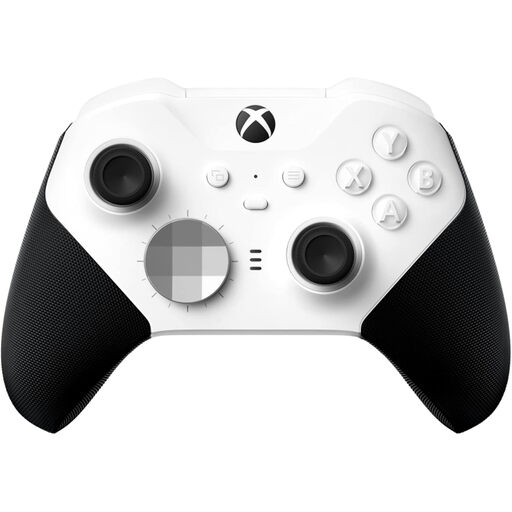
Xbox Elite Wireless Controller Series 2 Core — White
This Core model is worth considering for Xbox or Windows play when changing existing button assignments is your main goal. Xbox specifies Xbox Wireless, Bluetooth and USB-C connection options for Elite Series 2 Core, but says most Xbox Accessories app features on Windows are unavailable over Bluetooth. If you need rear paddles, confirm the contents of this exact Core package before buying.
View on Joybuy
 No image available
Turtle Beach Afterglow Ignite Time Wired RGB Controller — Time Machine
A wired Xbox and PC option to assess if you want controls in a different physical position. Check the exact button-mapping options against the actions you use, and confirm that a wired connection suits your playing position. If you switch layouts between games, check whether this model can save the profiles you need.
View on Joybuy
 No image available
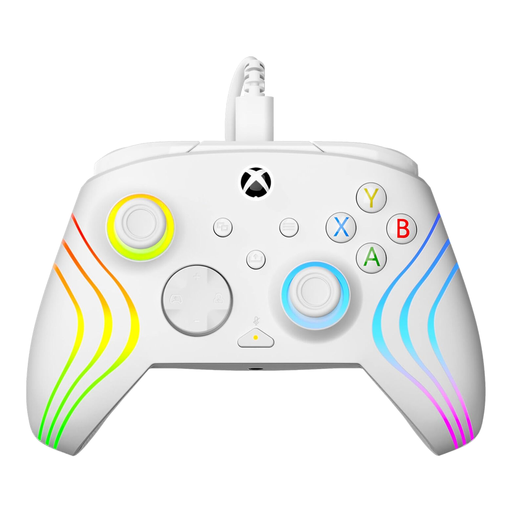
Turtle Beach PDP Afterglow Wave Wired Controller — White
Consider this wired Xbox controller if a cable suits your setup and you are comparing ways to reposition commonly used actions. Confirm its compatibility with your exact Xbox or PC setup and check which controls can be mapped. If you use different layouts for different games, check its profile options before choosing.
View on Joybuy
Questions about remapping
Can I remap buttons without buying another controller?
Yes, on some supported setups. Nintendo UK Support documents button mapping in console settings for supported Switch controllers, and Xbox offers input customisation through Xbox Accessories for supported controllers. Check your platform and controller settings first if you only need to swap existing inputs; extra physical buttons address a different need.
Do rear buttons add new commands to a game?
Do not assume they do. A controller’s mappable extra buttons give you another place to assign supported inputs; they do not by themselves establish that a game offers additional commands. Check both the controller’s assignment options and the game’s controls for the action you want.
Can I configure an Xbox Elite controller over Bluetooth on Windows?
Do not rely on Bluetooth for the full Xbox Accessories app feature set. Xbox Support says most app features are not supported over Bluetooth on Windows and advises using a USB cable or Xbox Wireless Adapter to connect and configure the accessory.
Can I set up DualSense Edge profiles on a Windows PC?
Yes. PlayStation Support documents creating, editing and switching DualSense Edge profiles on a Windows PC with the PlayStation Accessories app. Check support in the individual PC games and applications you plan to use as well.
When should I consider the PS5 Access controller?
Consider Access when changing assignments on a conventional pad does not give you the physical PS5 layout you want, or when compatible external control devices are relevant to your setup. PlayStation documents configurable profiles and 3.5 mm expansion ports for the controller; check the devices and inputs you intend to use before choosing it.


