
24/7 Customer Support

Free returns

Same-day & Next-day Delivery

Quality Guaranteed

Unlock Your Welcome Offers: FREE Delivery | Up to 80% OFF | Free 30-day JoyPlus trial
Download the APP
As modern laptops become slimmer and lighter, they often sacrifice essential ports, leaving many of us with just one or two USB-C connections. This minimalist design can create a real headache for professionals in the UK who need to connect to monitors, wired networks and older USB devices. A USB-C multiport adapter seems like the obvious solution, but the market is flooded with options that often fail to deliver on their promises.
Before you make a purchase, it is crucial to understand the common pitfalls that lead to wasted money and frustration. Many adapters suffer from hidden flaws that only become apparent after a few weeks of use.
To avoid these issues, focus on a few key technical specifications. These are the non-negotiable features that separate a reliable work tool from a piece of electronic waste.
Your laptop's original charger is the benchmark. If it is a 96W or 100W charger, you need a multiport adapter that can pass through a similar amount of power. Look for hubs that explicitly state 100W PD pass-through. This ensures that even after the hub takes its share of power (typically 10-15W), there is still enough wattage (85W+) to charge your laptop at full speed, even while it is under heavy load.
For maximum compatibility, a good adapter should function as both a USB-C to HDMI adapter and a USB-C to VGA adapter. This ensures you are prepared for any display, old or new. For modern displays, check the HDMI specification. A hub supporting 4K@60Hz will provide a much smoother and more responsive experience for video work and general use compared to the more common 4K@30Hz standard.
Do not underestimate the value of a built-in USB-C ethernet adapter. Hotel and home Wi-Fi can be unreliable, and a stable, wired Gigabit Ethernet connection is invaluable for lag-free video conferencing and large file downloads. Furthermore, check the USB-A ports. They should be USB 3.0 (or higher), offering speeds of 5Gbps, which is essential for transferring files quickly from an external hard drive. Slower USB 2.0 ports are only suitable for peripherals like a mouse or keyboard.
We have identified several products that address these common pitfalls, matching them to the needs of different UK professionals.
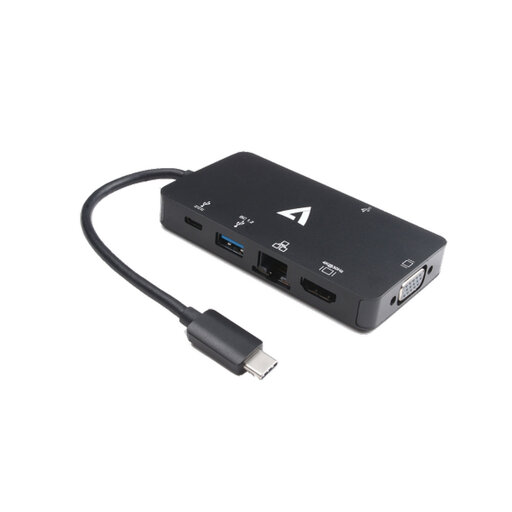
Why This Fits Their Persona: This adapter is built for the professional who moves between a modern home office, a corporate boardroom and client sites with unpredictable tech. It provides a safety net for any connectivity scenario.
It directly solves the "Legacy Port Blind Spot" with its VGA port and the "Underpowered Charger Trap" with 100W Power Delivery. High-grade EMI shielding also helps prevent the "Unstable Connection Flaw".
True all-in-one versatility. The combination of 4K HDMI, 1080p VGA and Gigabit Ethernet in one unit means you only need to carry one adapter.
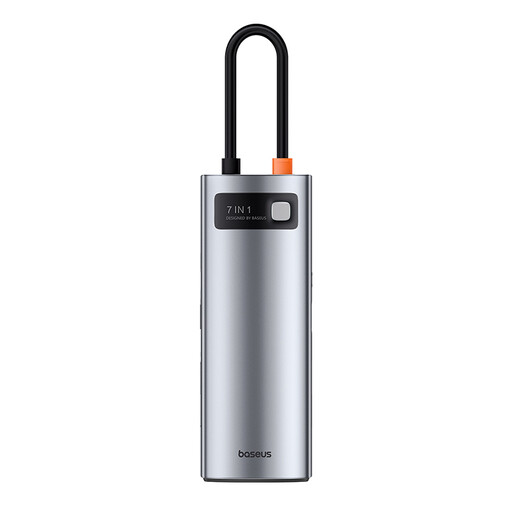
Why This Fits Their Persona: Ideal for designers, video editors and photographers who need high-performance connections for a smooth workflow. This hub prioritises display quality and data transfer speed.
It offers a superior 4K@60Hz HDMI output, avoiding the choppy 30Hz experience of lesser hubs. The 100W PD and metal alloy casing for heat dissipation prevent performance throttling and instability during intensive tasks.
The combination of 4K@60Hz video, three USB 3.0 ports (5Gbps) and built-in SD/TF card readers creates a highly efficient workstation for creative tasks.
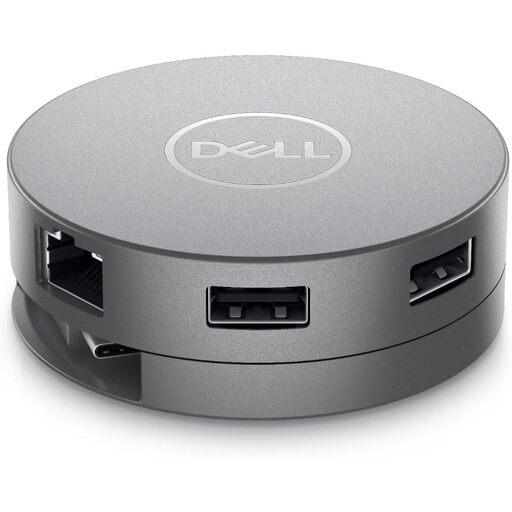
Why This Fits Their Persona: Perfect for the business traveller or hybrid worker who values a tidy workspace and a light travel bag. This adapter provides comprehensive connectivity without the bulk.
Despite its compact, palm-sized design, it includes a VGA port and supports a robust 90W power pass-through, avoiding the two most common pitfalls of smaller travel adapters.
Its innovative round design with patented cable management makes it exceptionally portable. It offers a full suite of ports, including DisplayPort, in a tiny package.
We have compiled a complete, real-time list of products that fully satisfy these strict selection criteria and UK safety regulations.
A simple USB-C dongle without power pass-through will draw a small amount of power from your laptop. However, a quality multiport adapter with Power Delivery (PD) pass-through is designed to solve this. When you plug your laptop's charger into the hub's PD port, it charges your laptop while simultaneously powering the hub and any connected peripherals, so there is no battery drain.
This is a common issue. To achieve a 4K resolution at a smoother 60Hz refresh rate, three components must all be compatible: your laptop's USB-C port (it must support DisplayPort 1.4 Alt Mode), the USB-C multiport adapter itself (it needs an HDMI 2.0 port) and the HDMI cable you are using. If any one of these supports only an older standard (like HDMI 1.4), the connection will default to the lower 30Hz refresh rate.
While they serve similar functions, they are designed for different uses. A USB-C hub is typically small, portable and powered by the laptop itself (or via pass-through charging). A laptop docking station is a larger, stationary device that usually has its own dedicated power supply. Docking stations often offer more ports and can support multiple external displays simultaneously, making them ideal for a permanent desk setup.