
24/7 Customer Support

Free returns

Same-day & Next-day Delivery

Quality Guaranteed

Unlock Your Welcome Offers: FREE Delivery | Up to 80% OFF | Free 30-day JoyPlus trial
Download the APP
From submitting university assignments to backing up critical work files or carrying your favourite media, the humble USB flash drive remains an essential tool for portable data storage. However, the market is filled with options varying wildly in speed, capacity and connectivity. Choosing the right one can feel overwhelming.
This guide is designed to help you understand the key features to look for in a modern memory stick. We will walk through the important specifications and provide a few recommendations to help you find a reliable portable storage drive that fits your specific needs and budget.
Before you buy, consider these three factors to ensure you select a drive that serves you well.
The first question to ask is what you plan to store. A pen drive for transferring documents and a few photos won't require much space; 64GB is often more than enough. However, if you're a content creator working with 4K video, a gamer installing large titles or a professional backing up entire projects, you should look for higher capacities like 512GB, 1TB or even more. A larger drive provides future-proofing, ensuring you don't run out of space unexpectedly.
Waiting for large files to transfer is a common frustration. A drive's speed is determined by its USB interface version.
The physical connector is just as important as the internal technology.
For maximum versatility, consider a dual-interface thumb drive that features both USB-A and USB-C connectors.
Here are a few options that cater to different user needs, from high-performance professionals to everyday casual users.
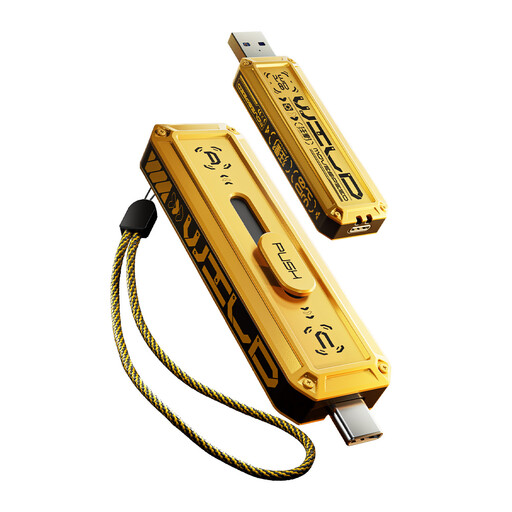
Why It Stands Out: This drive is built for pure speed and versatility. With a USB 3.2 Gen 2x1 interface, it delivers read and write speeds of up to 1090MB/s and 1030MB/s respectively, meaning a 1GB file can be transferred in about a second. Its dual USB-A and USB-C connectors make it compatible with a vast range of devices, from traditional desktops to the latest smartphones.
Pros:
Who is it for? Content creators, video editors, gamers and IT professionals who require maximum transfer speeds and the flexibility to move large files between different types of devices seamlessly.
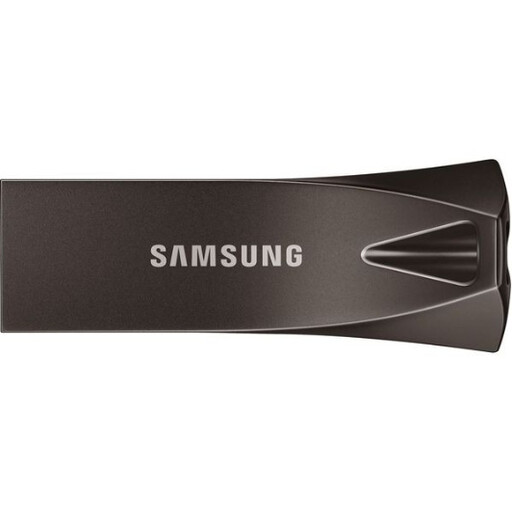
Why It Stands Out: The Samsung BAR Plus strikes an excellent balance between performance, durability and style. Its sleek metal body is not just for looks; it is engineered to be water, shock, magnet, temperature and X-ray proof, offering peace of mind that your data is safe. With read speeds of up to 400 MB/s, it handles large files efficiently.
Pros:
Who is it for? Professionals, students and general users who prioritise data durability and reliability in a stylish package. It is an excellent choice for carrying important files on the go without worrying about physical damage.
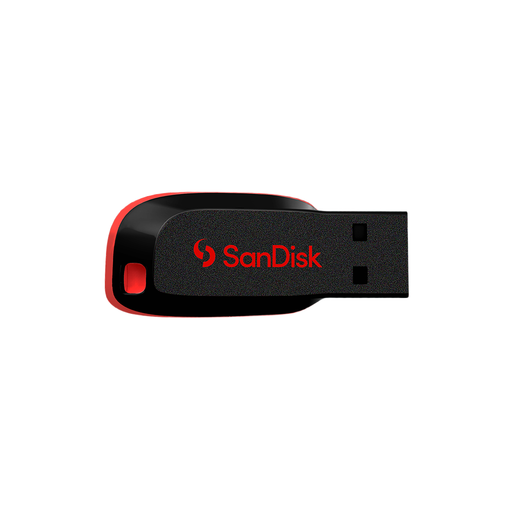
Why It Stands Out: For straightforward, everyday storage needs, the SanDisk Cruzer Blade is a classic choice. Its main appeal lies in its simplicity, portability and affordability. The compact design fits easily on a keychain, and its 64GB capacity is ample for documents, presentations, music and photos.
Pros:
Who is it for? Students, office workers and casual users who need a simple and inexpensive USB flash drive for basic tasks like moving documents, sharing photos with family or keeping a few essential files handy.
If the recommendations above don't quite match what you're looking for, there are many other models available with different capacities, designs and features. Whether you need a drive with enhanced security or a specific form factor, you can find a solution that fits your requirements.
Explore our full range of USB memory sticks to see more choices.
These are different generations of the USB standard, each offering faster potential speeds. USB 3.0 (also known as USB 3.1 Gen 1 or USB 3.2 Gen 1) has a theoretical speed of 5 Gbps. USB 3.1 Gen 2 (or USB 3.2 Gen 2) doubles that to 10 Gbps. The latest, USB 3.2 Gen 2x2, can reach 20 Gbps. For most users, any drive labelled "USB 3.2" will provide a significant speed boost over the older USB 2.0 standard.
Not directly. You would need a USB-C to USB-A adapter. A more convenient solution is to purchase a dual-interface flash drive, like the MOVESPEED model mentioned above, which includes both connectors on a single device.
This depends entirely on your use case.