What matters when choosing?
Start with a way to keep the records recoverable, then check the ports on the devices that will update or restore them. Capacity, physical fit and access controls should suit that workflow.
| Concern |
What to check when buying |
Who this matters to |
| Recoverable records |
Allow capacity for your current files and expected additions; plan another independent copy that you can open and check. |
I do not want a lost or damaged stick to take my family records with it. Around 36% of consumers would put recoverability first. |
| Connector compatibility |
Check the ports on every device that will read or update the archive; choose both USB-A and USB-C only if you use both. |
My scans need to move between devices with different USB ports without relying on a separate adapter. For around 29% of consumers, that access would be the primary concern. |
| Small-desk fit |
Compare the drive’s dimensions and connector arrangement with the space around your computer’s ports. |
At a crowded desk, I need room to use neighbouring ports while copying files. Physical fit would come first for around 21% of consumers. |
| Private records |
Check the encryption method, software compatibility and how you would regain access to your files. |
If the drive holds sensitive family documents, I want to manage who can open them without losing access myself. Around 14% of consumers would prioritise access control. |
Joybuy product choices
These drives cover USB-A-only, USB-C-only and dual-connector ways to move genealogy files. Choose by your actual device ports and archive size; whichever drive you use should remain one copy in a wider backup routine.
 No image available
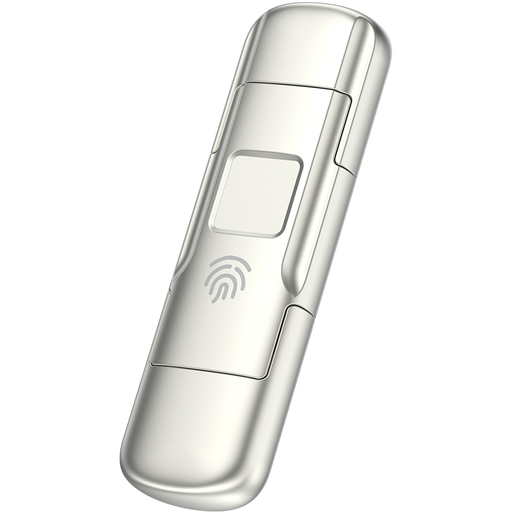
MOVESPEED YSUYC-256GSN 256GB USB-A and Type-C Flash Drive, Silver
Consider its two connector types if you update your genealogy files on both USB-A and USB-C devices. The title lists USB 3.2 Gen 1, fingerprint encryption, a zinc-alloy body, 550MB/s read and 500MB/s write; check how fingerprint enrolment and recovery work before depending on that access feature. Compare 256GB with your current archive and expected additions.
View on Joybuy
 No image available
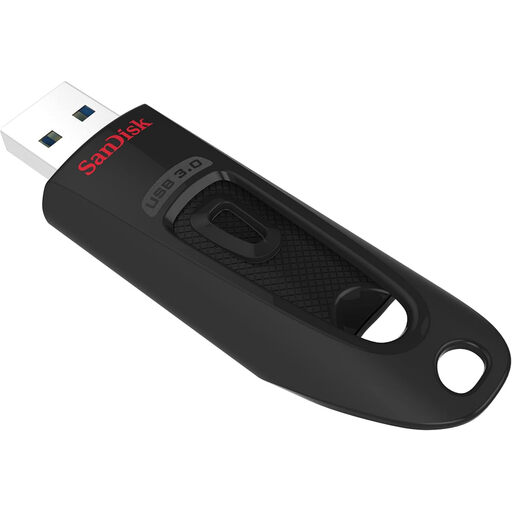
SanDisk Ultra 128GB USB 3.0 Flash Drive
This USB-A drive is an option when the computer used for your archive has a matching port. Check whether 128GB allows room for future scans and exports. If software-based access control is important, confirm current SecureAccess availability and compatibility before relying on it.
View on Joybuy
 No image available
DigiEra LUS320 128GB USB-A and Type-C Flash Drive
The dual interface suits a workflow that uses both USB-A and USB-C ports. Its title lists USB 3.2, a 360° swivel design, a metal body and 500MB/s read performance. Check its dimensions against adjacent ports on your desk and compare 128GB with the size of your archive.
View on Joybuy
 No image available
MOVESPEED YSUSP05-512GSR 512GB USB-A and Type-C Flash Drive, Silver
This dual-connector variant is worth comparing if files move between USB-A and USB-C devices and your archive calls for 512GB. Its title lists USB 3.2 Gen 1, 3D NAND, a zinc-alloy housing, 570MB/s read and 520MB/s write. Check physical clearance and do not assume the stated speeds will be sustained throughout a full copy.
View on Joybuy
 No image available
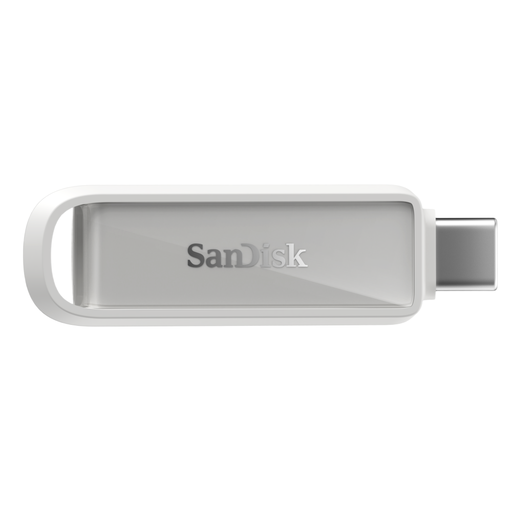
SanDisk Phone Drive with USB-C, 256GB, Arctic White
Consider this USB-C drive if the devices used to update and restore your archive have compatible ports. Check 256GB against your files and expected growth. If you intend to use automatic backups, confirm how the described iPhone and iPad app fits the rest of your workflow.
View on Joybuy
Frequently asked questions
Can a USB flash drive be my only genealogy archive?
No: keep the drive as one copy, not the only place your records exist. The National Cyber Security Centre advises storing a backup separately and not keeping every backup connected at once. Check periodically that you can open important files from your backup.
Should I choose USB-A, USB-C or a dual-connector drive?
Choose according to the ports on the devices that will update and read your genealogy records. USB-A works directly with a matching computer; a dual USB-A and USB-C drive is useful when the archive moves between both port types. A USB-C-only drive needs a compatible port wherever you plan to use it.
Do I need a high advertised transfer speed?
Not necessarily: compatible ports, enough capacity and a dependable backup routine come first. If you regularly copy a large collection of scans or photos, check whether the stated speed applies to reading or writing; a maximum read figure does not tell you how long a full backup will take.
Does encryption make the archive safe on its own?
No: encryption can add access control, but it does not replace a separate backup or guarantee that you can recover lost files. Lexar cautions that safeguards can be circumvented. Check software compatibility and how you will retain access to the credentials you need.
What warranty details should I check?
Check the terms for the exact drive and the arrangements for a UK claim, rather than assuming every product from a brand has the same cover. Samsung UK lists a five-year limited warranty for the Duo Plus, Kingston Technology lists five years for the DataTraveler Kyson, and Lexar United Kingdom lists a five-year limited warranty for the JumpDrive M900; check the applicable exclusions before ordering.


