
24/7 全天候客户支持

免费退货

当日/次日达

品质保障

开启新人专享福利: 全场免邮 | 低至 2 折 | 免费试用 30 天 JoyPlus 会员
下载 Joybuy
Juggling a work laptop, a gaming PC and a tablet often leads to a cluttered desk and a tangle of wires. For those who value both performance and a clean setup, switching between devices can be a constant frustration. A tri-mode mechanical keyboard offers a streamlined solution, providing the flexibility to connect via low-latency 2.4GHz wireless, versatile Bluetooth and a reliable wired connection, all from a single, high-performance board.
This guide is designed to help you navigate the growing market of multi-device keyboards. We will explore the key features to look for and present a few standout options that cater to different needs, whether you are a competitive gamer, a remote-working professional or a keyboard enthusiast in the UK.
Choosing the right keyboard involves more than just its ability to connect wirelessly. Here are a few practical considerations to help you make an informed decision.
The "tri-mode" functionality is the main attraction. 2.4GHz wireless, via a USB dongle, typically offers the lowest latency, making it the preferred choice for a responsive wireless gaming keyboard. Bluetooth provides broad compatibility, allowing you to easily switch between a laptop, tablet or phone, making it an ideal Bluetooth keyboard for Mac and PC users who multitask. Finally, a wired USB-C connection ensures a stable link and allows you to use the keyboard while it charges, so you are never caught out by a dead battery. Consider which modes you will use most frequently to ensure the keyboard fits your daily routine.
The mechanical keyboard community thrives on personalisation. A hot-swappable keyboard is a key feature for enthusiasts, as it allows you to change the mechanical switches without any soldering. This means you can experiment with different switch types (like linear for smooth gaming, tactile for satisfying feedback or clicky for audible confirmation) to create your perfect typing experience. This level of modification is central to the appeal of a custom mechanical keyboard.
Keyboard size, or form factor, significantly impacts its functionality and desk footprint. A full-size (100%) layout includes a number pad, which is essential for data entry. A 75% layout offers a compact design while retaining arrow and function keys. An even smaller 60% layout removes these dedicated keys to maximise desk space for mouse movement. Build quality also varies, with materials like aluminium offering a more premium, sturdy feel compared to plastic. Advanced features like gasket or leaf-spring mounting structures can also provide a softer, more cushioned typing feel.
Here are a few recommendations that showcase the versatility and performance available in the current market.
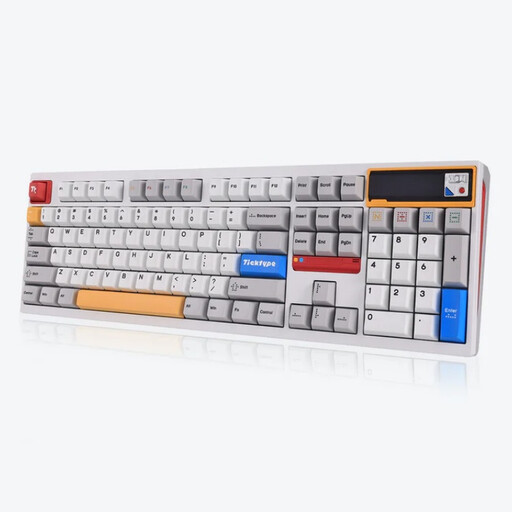
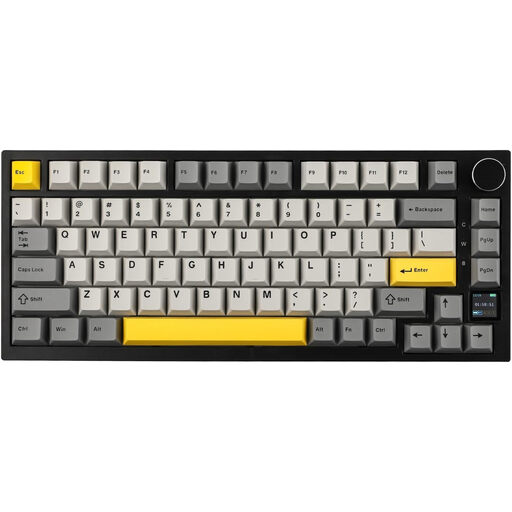
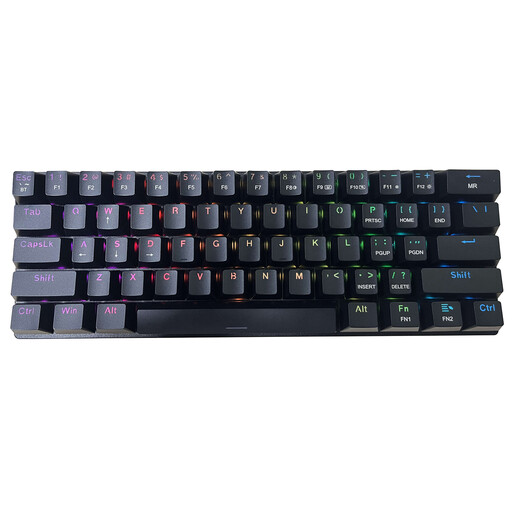
The keyboards above represent just a fraction of the possibilities. If you are particularly interested in customisable lighting to match your setup, there is a wide world of keyboards to discover.
For a broader selection, feel free to browse our full collection of RGB mechanical keyboards.
A tri-mode mechanical keyboard is a versatile keyboard that offers three different connection methods. These are typically a high-speed 2.4GHz wireless connection via a USB dongle, a multi-device Bluetooth connection and a traditional wired USB connection. This allows a single keyboard to be used seamlessly across different devices and scenarios.
For users who enjoy customisation or are particular about their typing feel, a hot-swappable keyboard is definitely worth considering. It gives you the freedom to change the mechanical switches under the keycaps without any soldering. This means you can easily try out different switch types to find the sound and feel that you prefer, effectively creating a custom mechanical keyboard tailored to you.
Yes, that is one of their primary advantages. You can use the low-latency 2.4GHz mode for a responsive gaming experience on your PC, then press a button to switch to Bluetooth mode to type an email on your work laptop or a message on your tablet. This versatility makes it an excellent all-in-one solution for a modern multi-device setup.